

As businesses continue to generate more files, applications, backups and business data, reliable storage has become an important part of IT setup. This is where Server Hard Drives still have a strong role
SSDs are preferred for workloads that need very low latency and HDDs remain useful when businesses need large amounts of storage at a practical cost. In 2026 enterprise HDD technology is also moving toward higher capacities that help data centers store more information without adding the same number of physical drives.
For a broader understanding of HDD technology before looking at server storage, Internal Hard Drives Explained for Every User In 2026 can provide useful background.
Understanding Server Hard Drives
How Server Hard Drives Work
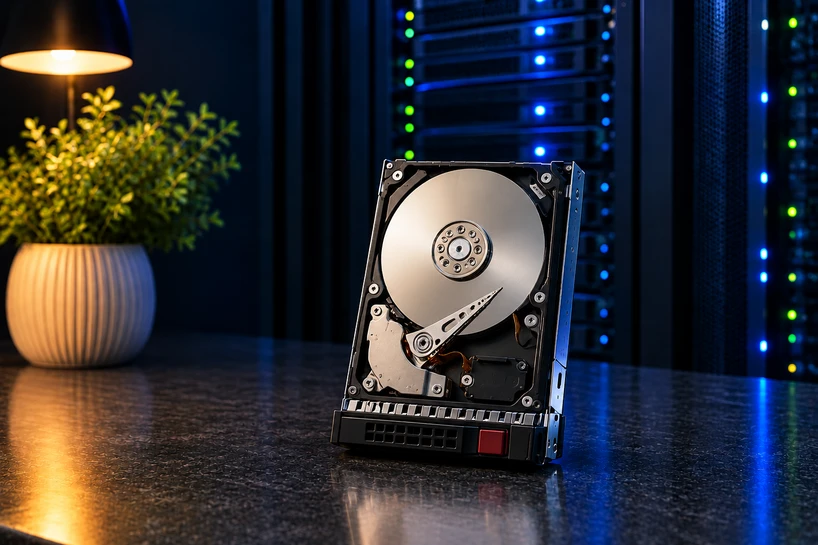
A Server Hard Disk stores information magnetically on spinning platters. Read and write heads move across the platters to access data while the drive's controller manages communication, error correction and other storage processes
Because HDDs use mechanical components they generally have higher access latency than SSDs. Their advantage is capacity making them suitable for large datasets that do not require constant high speed access.
Key Components of a Server Hard Drive
The main components include platters, read and write heads, an actuator, spindle motor, controller electronics and cache memory. Enterprise models may also include technologies designed to improve reliability in demanding environments such as vibration protection, helium filled designs and advanced recording methods.
How Server Hard Drives Differ from Desktop Drives
A desktop HDD is not automatically right for server use simply because it has the correct size or connector. Server drives are designed for continuous workloads and environments where several drives work close together
Workload rating, vibration tolerance, firmware, interface, controller, backplane and sector format can all affect compatibility and reliability.
Why Server Hard Drives Are Essential for Enterprise Storage
Supporting Business-Critical Applications
Not every application needs the speed of flash storage. Databases and frequently accessed applications may benefit from SSDs or NVMe while backups, old records, reports and less active data can often be stored on HDDs
This approach allows businesses to use high performance storage where it provides a real benefit instead of paying for flash capacity across the whole environment.
Managing Large Volumes of Data
The biggest strength of a Server Storage Drive is capacity. Modern enterprise HDDs can provide tens of terabytes of storage from a single drive which can reduce the number of drives required for large repositories.
That matters in data centers because fewer physical drives may reduce rack space, power consumption, cooling demand and maintenance depending on the drive models and complete storage architecture.
High Availability and Continuous Operation
A Server Disk Drive does not provide high availability by itself storage systems typically depend on RAID, redundant components, monitoring, cooling and well matched controllers to reduce the impact of hardware failures
SAS can also be useful in enterprise environments where features such as dual port connectivity are required.
Cost-Effective Storage for Enterprise Environments
Businesses rarely need every piece of data to be stored on the fastest available media. Archived files, older datasets, backups and large repositories may be accessed less frequently.
High capacity HDDs provide an economical way to keep this information accessible without putting the whole storage environment on SSD.
Types of Server Hard Drives
SATA Server Hard Drives
SATA is commonly used for capacity focused storage. Enterprise SATA HDDs can be suitable for backups, archives, file repositories and other workloads where capacity is more important than extremely low latency.
SAS Server Hard Drives
SAS is designed for enterprise server and storage environments. It can support features such as dual port connectivity and is usually combined with professional storage controllers and backplanes.
Nearline Server HDDs
Nearline HDDs focus on providing high capacity storage rather than flash level performance. They are commonly used for backup repositories, archives, large file stores and other data that needs to remain available but is accessed less frequently.
Enterprise-Class Hard Drives
An Enterprise Server Hard Drive is built for professional environments where drives may work continuously under sustained workloads. Workload ratings, reliability specifications, vibration protection, security features and manufacturer support are important factors when selecting one.
Server Hard Drives for Different Business Applications
Database Servers
SSDs or NVMe are typically better for databases with lots of random I/O. Hard disk drives can still be handy for old records, reporting data, secondary databases and backups where access speed is not so critical.
Cloud Computing Infrastructure
High capacity HDDs can increase storage density and support scalable storage infrastructure without relying on flash for every workload.
Backup and Disaster Recovery
Backup requirements can grow quickly as businesses keep more recovery points and extend holding periods. Server Hard Drives can provide the capacity needed for enterprise data storage at a lower cost than using SSDs for every terabyte.
RAID can help maintain availability when a drive fails but it is not a replacement for a separate backup.
Virtualization Environments
Virtualized systems can generate significant storage activity because some workloads share the same infrastructure. Active virtual machines may benefit from SSD or NVMe while HDDs can handle VM templates, archives, secondary storage and less demanding workloads.
Key Technologies Behind Modern Server Hard Drives
Helium-Filled Drive Technology
Helium produces less internal drag than air, so manufacturers can fit more platters inside high capacity drives. This increases the storage density while controlling power and mechanical requirements.
Heat-Assisted Magnetic Recording (HAMR)
HAMR uses controlled heat during the writing process to increase magnetic recording density. The technology is helping manufacturers push HDD capacities much higher.
In March 2026 Seagate reported that its Mozaic 4+ platform had reached production with two hyperscale cloud providers and supported capacities of up to 44TB.
Self-Encrypting Drives (SEDs)
Some enterprise HDDs include hardware based encryption. This protects data stored on the drive and can be useful for businesses handling sensitive business or customer information.
Vibration Protection Technologies
More than a few HDDs working inside the same server can create vibration that affects mechanical positioning. Enterprise drives use vibration monitoring and control technologies to reduce these effects and maintain reliable processes.
Future of Server Hard Drives
AI-Driven Enterprise Storage
AI workloads are creating enormous amounts of data, including training datasets, model files and analytics information. Not all of this data requires flash level performance giving high capacity HDDs an important role as the underlying storage layer.
Increasing Storage Capacities
Higher capacity remains one of the most important developments in enterprise HDDs. For example Toshiba's MG Series currently reaches 24TB with models designed for 24/7 enterprise processes. This specification should be supported with a current Toshiba product source.
Higher capacity drives can help businesses and data centers store more information without increasing physical drive counts at the same rate.
Hybrid Storage Architectures
In today’s IT environments, it is common to use a mix of HDDs, SSDs and NVMe rather than one storage technology. Fast storage can support latency sensitive applications and HDDs provide economical capacity for backups, archives and large datasets.
The Future Role of Server HDDs
The Server HDD is increasingly focused on high capacity storage. As businesses, cloud platforms and AI systems continue to generate more data, HDDs can remain an important part of the capacity layer even as SSDs take over more performance sensitive workloads.
Conclusion
Server Hard Drives remain a practical choice for businesses that need large storage capacity without putting every terabyte on high performance flash storage.
When choosing the right Server Hard Drive, look beyond capacity. Check the workload, interface, server compatibility, form factor, reliability requirements, security features, cooling and manufacturer support. Choosing based on the real environment may help avoid compatibility issues and unnecessary storage costs.
Frequently Asked Questions
A: A Server Hard Drive is an HDD designed for server and enterprise storage environments. It is usually used for files, backups, archives, repositories and other capacity focused workloads.
A: Enterprise HDDs are designed for continuous processes, heavier workloads, multi drive environments and greater vibration. They also tend to have enterprise specific reliability and workload specifications.
A: Consider capacity requirements workload, interface, form factor, controller and backplane compatibility, reliability requirements, security features and vendor support.
A: SATA is commonly chosen for capacity-focused storage while SAS offers enterprise oriented connectivity and can support dual port operation in well matched systems. The server's current storage architecture should guide the decision.
A: 7,200 RPM is common among modern enterprise HDDs. However this varies by model and workload so RPM should not be considered alone. Capacity, workload, interface, power requirements and compatibility also affect the suitability of a drive.
A: There is no fixed lifetime for every Server HDD. Workload, temperature, vibration, usage, maintenance and drive design can all affect service life. Regular health monitoring is more useful than relying on a specific number of years.
A: Use a drive suitable for the workload, confirm proper cooling, monitor drive health and configure the storage system correctly. If you need SSD consistently low latency NVMe or SSD is generally a better choice.


