

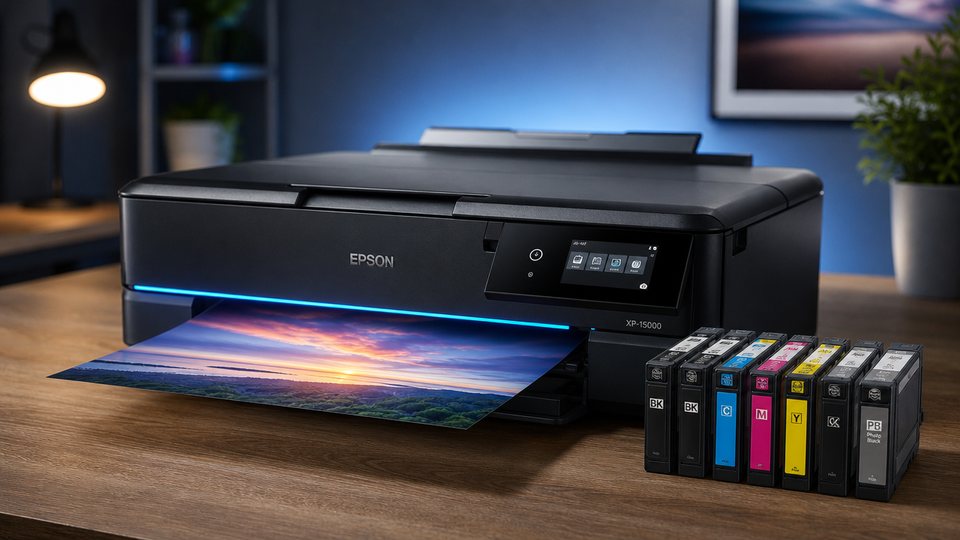
Buying a printer sounds easy until you actually start shopping. You open a page, see fifty models, and each one throws numbers at you that mean nothing on their own.
Then the real cost shows up later, when you run out of ink and realize the cartridges cost more than half the printer did.
Printers and cartridges work as a pair. One does nothing useful without the other. Pick the wrong printer, and you pay for it every single month in wasted supplies and slow output. Pick the right one, and it quietly does its job for years.
Corporate Buyer's Matrix: Selecting the Right Printing Engines
Businesses print differently from people at home. A team of forty burns through paper and ink at a pace a home unit was never built to handle. So the first job is matching the machine to the workload.
High-Volume Enterprise Printing Workgroups
These are the shared machines sitting in a hallway that a whole department feeds jobs into all day. They need to be tough.
Speed & Duty Cycles
Speed gets measured in pages per minute, or PPM. A busy workgroup printer should push 40 PPM or more, so nobody stands around waiting.
But PPM alone can fool you. Check the duty cycle too. That number tells you how many pages the machine can safely handle in a month. A printer rated for 100,000 pages a month will survive heavy daily use. One rated for 5,000 will wear out fast and cost you in repairs.
Consumable Sourcing
High-volume machines eat toner. Before you buy, confirm you can source cartridges in bulk without waiting weeks.
A printer that runs dry with no replacement on the shelf stops the whole team. Smart buyers lock in a steady supply of compatible cartridges before the first one even empties.
Decentralized Printing & Remote Workforces
Not every team sits in one building anymore. Plenty of staff work from home or small satellite offices. That changes what you buy.
Spatial Footprint
A home worker does not have room for a fridge-sized machine. Compact units that fit on a desk or a small side table make far more sense. Look for models that print, scan, and copy in one small body so one device covers everything.
Requirements
Remote setups need easy wireless connection and simple driver installs. If a worker has to call IT to print a single page, you bought the wrong machine. Wi-Fi, mobile printing, and plug-and-play setup save hours of frustration.
Cost Management
Spread-out teams are hard to track. Ten small printers can quietly cost more than one big shared one if each burns pricey cartridges. Pick models with affordable high-yield supplies and keep everyone on the same few printer types so you buy cartridges in bulk instead of one odd pack at a time.
Understanding What You Are Actually Buying
Before you compare prices, it helps to know what the parts do. This clears up most bad buying calls.
What Is a Printer & Cartridge?
Simple Breakdown
A printer is a machine that puts words and images onto paper. A cartridge is the swappable container holding the ink or toner that makes those marks. The printer is the body. The cartridge is the fuel.
How They Work Together
When you hit print, the printer pulls color or black from the cartridge and lays it onto the page in the exact shape of your file. Inkjet models spray tiny drops of liquid ink. Laser models melt fine toner powder onto the sheet with heat.
Either way, no cartridge means no print. That is why the running cost of cartridges matters as much as the sticker price of the printer.
What is Page Yield?
Define
Page yield is the number of pages one cartridge prints before it runs out. If a cartridge has a yield of 2,000, you should get roughly 2,000 pages from it.
Metrics
That number comes from a standard test using pages with about 5% coverage, which is close to a normal text document. Print heavy graphics or full-page photos, and your real yield drops well below the label. Use page yield to work out the true cost.
Divide the cartridge price by its yield, and you get the cost per page. A cheap cartridge with a low yield often costs more per page than a pricier one that lasts longer. This single number tells you more about long-term spend than the printer price ever will.
Choosing the Right Printer Type
Different jobs call for different machines. Here are the four types worth knowing and who each one suits.
Laser Printers
Engine: Toner-Powder
Laser printers use toner, a dry powder fused onto paper with heat instead of liquid ink. That powder does not dry out, so these machines handle long idle stretches well.
Speed: Blistering-PPM
Laser units are quick. They fire out page after page of text at high PPM without slowing down, which is why offices lean on them.
Target: Heavy-Text
If you mostly print documents, contracts, invoices, and reports, a laser printer is your best friend. Sharp black text, fast output, and a low cost per page make it the clear pick for text-heavy work.
Thermal Printers
Technology: Inkless-Heat
Thermal printers skip ink and toner completely. They use heat to darken special heat-sensitive paper. Fewer moving parts and no cartridge to swap.
Media: Roll-Paper
These run on rolls rather than cut sheets, which suits continuous printing like tickets and tags.
Savings: Zero-Ribbon
Direct thermal models need no ribbon and no ink at all. You only buy paper. That keeps running costs low and cuts out the hassle of tracking supplies.
Receipt Printer
Application: POS-Billing
Receipt printers live at checkout counters. They print the slips customers walk away with after paying, working hand in hand with your point-of-sale system.
Design: Counter-Compact
They are small on purpose. A receipt printer tucks neatly beside a register without eating up counter space.
Speed: Instant-Slips
Nobody wants to wait in line for a slow printer. These pump out receipts in a second, so the checkout keeps moving.
Label Printer
Application: Barcode-Tracking
Label printers make barcodes, address labels, and product tags. If you track stock or ship orders, this is the machine that keeps items labeled and scannable.
Media: Adhesive Stickers
They print onto sticky label stock that peels and sticks straight onto boxes, jars, or shelves.
Target: E-Commerce / Shipping
Online sellers and warehouses lean on these hard. Fast, clean shipping labels and barcodes keep orders moving out the door without handwritten mess.
Finding the Perfect Printer Consumables
The printer is half the deal. The cartridges you feed it decide your real monthly cost. Here is how to choose well.
Selecting Everyday Printer Ink Cartridges
Technology
Match the cartridge to your printer type first. Inkjet machines need liquid ink cartridges. Laser machines need toner cartridges. They are not interchangeable, so always check your exact model number before buying.
You will usually see two options. Standard cartridges cost less up front but run out sooner. High-yield cartridges cost more but print far more pages, which drops your cost per page. If you print often, high-yield paper almost always saves money over time.
Compatible cartridges with a working smart chip give you the same result as pricey brand-name packs at a lower price, as long as the chip matches, so your printer reads levels correctly and throws no errors.
How Long Do Standard Printer Cartridges Last?
Core-Focus
A standard cartridge lasts as long as its page yield allows, but time matters too. Most sealed cartridges stay good for around two years if stored cool and out of direct sunlight. Once opened and installed, ink can start drying if the printer sits unused for weeks.
Factor: Expiry-Dates vs. Usage-Frequency
Two things drain a cartridge: how much you print and how long it sits. Print regularly, and the ink flows fine and empties at a normal pace. Let it sit for months, and the ink can thicken or clog the nozzles, wasting what is left.
So a light home user should buy standard cartridges and use them steadily rather than stockpiling packs that expire on the shelf. A busy office should buy high-yield in bulk since the supply gets used before dates become a worry.
Why Smart Buyers Choose Server Blink
Inventory: Vetted Printers & Cartridges Catalog
Server Blink carries a wide range of printers and cartridges, so you are not gambling on random stock. Every item is picked to actually work, which saves you the guesswork of matching machines to supplies.
Compatibility: Smart-Chips (No-Errors)
The cartridges come with the correct smart chips built in. Your printer reads ink levels properly and skips the annoying error messages that cheap, mismatched cartridges tend to throw.
Pricing: Wholesale-Bulk (Budget-Friendly)
Buying in bulk here keeps the price low. Teams that print a lot get wholesale rates that beat picking up single packs whenever a machine runs dry, which keeps the whole print budget in check.
Printers and cartridges are one piece of a bigger setup. If you are building out an office or refreshing your whole tech stack, it helps to see how printing fits alongside your other gear. Our Complete Guide to IT Hardware for Businesses in 2026 (Servers, Storage, Networking & More) walks through the full picture, so you can plan every part of your hardware together instead of buying it piece by piece.
Frequently Asked Questions
A: That is a mix-up worth clearing. Inkjet is a printer type. A cartridge is the supply it uses. An inkjet printer holds ink cartridges. So the real choice is inkjet versus laser. Inkjet suits color and photos at home, while laser suits fast text printing for offices.
A: For most homes, an inkjet all-in-one covers it. You get printing, scanning, and copying in one small unit, plus color for photos and school work. If you mainly print plain text and want low running costs, a small laser printer is the better choice.
A: Start with what you print and how much. Heavy text and high volume point to laser. Barcodes and shipping point to label printers. Checkout slips point to receipt printers. Then match cartridges to that machine and buy high-yield in bulk to keep costs down.
A: Print something at least once a week, even a single color page, to keep ink moving through the nozzles. Store spare cartridges sealed in a cool, dark spot. Keep the printer away from heat and direct sun, and always switch it off properly so the heads park and seal.
A: Standard cartridges hold less and print fewer pages for a lower price up front. High-yield cartridges hold more, print many more pages, and cost less per page over time. If you print a lot, high-yield saves money. If you print rarely, standard makes more sense, so it does not expire unused.
A: Because the catalog is vetted, the cartridges carry correct smart chips that avoid errors, and bulk pricing keeps big orders affordable. Teams get reliable stock they can reorder without surprises, which is exactly what procurement needs when a whole office depends on printing.


