

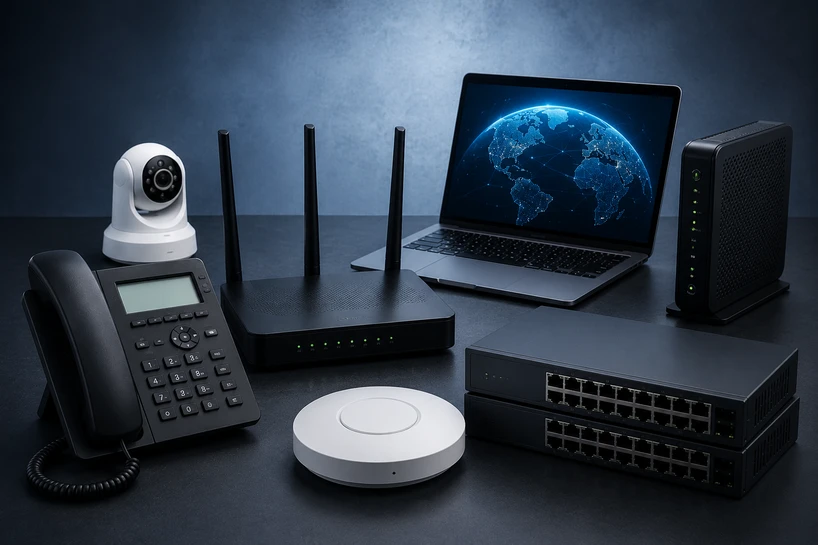
Computer networking connects devices so they can exchange data, share services, and reach other networks.
A network may link two laptops or millions of systems across the internet. Equipment, wireless signals, addresses, software rules, and security controls guide data to the right destination.
Networking matters in 2026 because work relies on cloud apps, video calls, remote access, and live data. Weak links interrupt work and expose private records.
At home, a router connects phones, televisions, and smart speakers. In an office, switches connect computers, printers, servers, cameras, and door access controllers.
Cloud networks reach data centres. IoT networks carry readings from sensors, meters, alarms, and machines.
Understanding How Computer Networks Work
A network moves data in packets. Each carries part of a message plus address details showing its source and destination. The receiver rebuilds it. Five parts support this process.
1. Devices (Nodes)
Any device that joins a network is a node. Computers, phones, servers, printers, cameras, storage systems, and IoT equipment all qualify. Each needs a network interface and an address for identification. Some nodes request data, while servers answer.
2. Network Hardware
Network hardware connects nodes and directs traffic. Routers pass data between networks. Switches connect devices inside one local network. Wireless access points provide Wi-Fi. Firewalls inspect traffic and block activity that breaks security rules.
Some business routers accept LAN & WAN modules that add ports or connection types. A company can match the hardware to fibre, Ethernet, cellular, or other links without replacing the whole unit.
3. Transmission Media
Transmission media carry packets between nodes. Wired networks use Ethernet, coaxial, or fibre-optic cable. Fibre sends data as light across long distances at high rates. Wireless networks use radio waves for Wi-Fi, Bluetooth, cellular service, and IoT systems.
The chosen medium affects speed, range, delay, cost, and interference. A short office link may suit copper Ethernet, while a building link may need fibre.
4. Protocols
Protocols are agreed-upon rules for communication. They tell devices how to address, send, receive, check, and interpret data. IP handles addressing and routing. TCP checks arrival and order. HTTP carries web requests and responses. FTP transfers files, while SMTP moves email between mail systems.
Shared protocols let equipment from different makers communicate. Without them, a browser could not request a page or understand the server’s answer.
5. Security Measures
Network security limits who can connect, what they can reach, and how data travels. Firewalls filter traffic. Encryption protects data from readable interception. Access control checks identity before granting entry. Network segmentation separates systems so a problem in one area cannot spread freely.
Security planning also watches for unusual behaviour, keeps software patched, applies strong passwords and multi-factor login, and records events for review. A trusted office connection alone should never prove that a user or device is safe.
Types of Computer Networking
Networks are grouped partly by coverage area. LAN, WAN, and PAN are three common types, and one business may run all three.
Local Area Network (LAN)
A Local Area Network connects devices within a limited place, such as a home, office, school, warehouse, or campus. A LAN normally includes switches, access points, Ethernet cabling, network adapters, and a router that links it to the internet or another network.
LAN networking gives users fast access to printers, files, applications, cameras, and local servers. The organisation controls access for staff, guests, security systems, and smart devices.
A home Wi-Fi network is a LAN. An office floor is another, though current offices favour switches over hubs because switches send traffic only to the intended port. Warehouse LANs may connect scanners, printers, cameras, and stock systems.
Wide Area Network (WAN)
A Wide Area Network connects users or smaller networks across a large area. It may join branches in different cities, connect remote workers, or link offices with cloud platforms and data centres. The internet is the largest WAN because it joins networks around the world.
WAN links may use fibre, leased circuits, broadband, cellular service, satellites, or software-defined WAN. They cross long distances but bring higher delay, outside service costs, and added security concerns.
A bank may connect branches with central transaction systems. A retailer may link stores to stock, payment, and reporting platforms. LAN & WAN modules in branch routers can provide ports for local devices and carrier links.
Personal Area Network (PAN)
A Personal Area Network connects devices around one person, within a few metres. Common PAN devices include phones, laptops, tablets, earbuds, smartwatches, keyboards, and health trackers. Bluetooth is the best-known PAN connection, though USB and phone tethering can create personal links.
A person may pair earbuds with a phone or share mobile data with a tablet. PANs need little equipment, but short range, lower speed, battery use, and radio interference limit them.
Networking Devices Explained
Routers: Routers read addresses and move packets between networks. A home router joins a LAN to an internet provider, while business models connect sites or cloud services.
Switches: Switches connect LAN devices and learn what sits behind each port. They send each frame toward its intended destination instead of copying it everywhere.
Hubs: Hubs repeat incoming data to all ports. They cannot learn device locations or manage traffic, so collisions and wasted capacity make them rare in business networks.
Bridges: Bridges connect network segments and filter traffic by hardware address. Current switches perform bridge functions across many ports, so separate bridges appear less frequently.
Gateways: Gateways connect systems that use different rules, formats, or network types. One may translate traffic between an IoT sensor network and an IP network.
Transceivers: A Transceiver sends and receives signals through one unit. Optical transceivers connect switches and routers to fibre, while radio transceivers support wireless communication.
Bridges & Routers both move traffic, but they work at different levels. Hubs & Switches may look similar, yet a switch handles local traffic with greater control.
Future of Computer Networking in 2026 and Beyond
AI helps teams find abnormal traffic, compare behaviour with a baseline, trace fault causes, and suggest fixes. Human review still matters because a wrong automated change can interrupt users. The aim is faster diagnosis and fewer manual checks.
5G-Advanced is widening cellular networking in factories, transport, remote sites, and backup WAN links. Its work covers better radio performance, lower delay, device positioning, and machine communication.
Wi-Fi 7 is reaching more business hardware, with features made for higher throughput and better use of busy wireless channels.
Cloud networking is changing where controls live. Teams can manage routers, switches, access points, security rules, and performance data through cloud consoles.
More applications connect directly to cloud services. Identity checks, encryption, monitoring, and consistent policy now matter at every connection point.
For a wider view of how networks fit with servers, storage, processors, backup systems, and business devices, read our Complete Guide to IT Hardware for Businesses in 2026 (Servers, Storage, Networking & More). It explains how each hardware group supports daily work and how to plan purchases as one connected system.
Conclusion
Computer networking lets devices exchange information, share equipment, reach cloud services, and support work across many locations.
Nodes create data, hardware directs it, media carry it, protocols organise it, and security controls protect it.
The field offers work in network support, cloud operations, wireless planning, cybersecurity, automation, and IoT. Knowledge of computer network components and their functions helps people diagnose faults, choose Networking Devices, and build links that match business needs.
Frequently Asked Questions
A: A gateway connects networks or systems that communicate in different ways. It may translate protocols, data formats, or addresses so traffic can pass between an IoT system, local network, cloud service, or outside provider.
A: Networking protocols are shared communication rules. They define how devices address data, divide it into packets, send it, confirm arrival, and read the result, allowing different hardware and software to work together.
A: A switch learns where devices are and sends traffic toward the correct port. A hub copies the same traffic to every port, which wastes capacity and can create more collisions.
A: Current networks use firewalls, encryption, identity checks, access control, segmentation, multi-factor login, security updates, activity logs, and threat monitoring. Good security also removes unused accounts and limits each user or device to the systems it needs.
A: Businesses can measure traffic, replace damaged cables, update old routers or switches, add access points where Wi-Fi is weak, separate heavy traffic, and set priority rules for calls or business apps. They should check the internet service limits before buying new local hardware.
A: IoT devices need networks to send sensor readings, receive commands, report faults, and connect with applications. Reliable addressing, gateways, wireless coverage, and security controls help those devices exchange data without exposing the wider network.


