

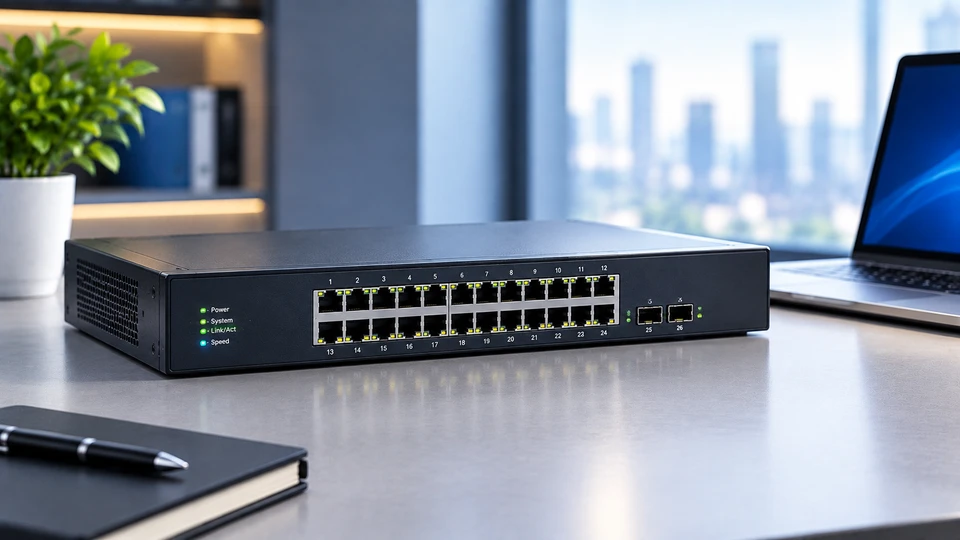
Every wired network needs something in the middle that ties the cables together. For years, that job belonged to the hub.
Today it belongs almost entirely to the switch. Both devices sit at the same spot in a network diagram, both have rows of Ethernet ports, and both pass traffic between connected machines. What they do with that traffic, though, is completely different.
What Are Network Hubs?
Definition of a Network Hub
A network hub is a multiport repeater. It joins several devices into one shared Ethernet segment and works at Layer 1, the physical layer of the OSI model.
A hub has no idea what a MAC adhidress is. It doesn't read frames, doesn't store them, and doesn't make forwarding choices. It sees an electrical signal on one port and copies that signal to every other port.
How a Network Hub Works
Say a PC on port 2 of an eight-port Ethernet hub sends a frame to a printer on port 6. The hub pushes that signal out ports 1, 3, 4, 5, 7, and 8 as well.
Every network card on the segment reads the destination MAC address, sees that the frame isn't for it, and throws it away. Only the printer keeps it.
Because all ports share one wire, everything on a hubs lives in a single collision domain and runs half-duplex. If two machines transmit at the same moment, the signals overlap.
The sending cards detect the collision, send a jam signal, and each one waits a random slice of time before trying again. That's CSMA/CD at work.
Add more devices and collisions climb fast. A 100 Mbps hub with ten busy computers doesn't give each one 100 Mbps. They all fight over the same 100 Mbps.
Types of Ethernet Hubs
Passive hub: No power supply and no signal regeneration. It's a wiring junction, nothing more. Signal strength drops as it passes through, so passive hubs only suit very short cable runs.
Active hub: Powered, and it cleans up what it receives. An active hub amplifies and retimes the signal before repeating it, which lets you stretch a segment past the 100 metre limit of a single twisted pair run. Old 10BASE-T rules allowed up to four repeaters between two hosts, with three of the five segments populated.
Intelligent (smart) hub: An active hub with a management layer bolted on. It carries an SNMP agent, tracks per-port counters, and lets an admin shut down a port that's flooding the segment with errors. Still a Layer 1 device underneath.
What Are Network Switches?
Definition of a Network Switch
A network switch forwards Ethernet frames based on MAC addresses. It works at Layer 2, the data link layer, and treats every port as its own collision domain. Each port runs full duplex, so a device can send and receive at the same time without stepping on anyone else's traffic.
How a Network Switch Works
A switch in a computer network builds a table as traffic flows. When a frame arrives, the switch reads the source MAC address and records it against the port it came in on. That gives it a MAC address table, also called a CAM table, holding thousands of entries on a normal access switch. Entries expire after an aging timer runs out, five minutes on many platforms.
Then the switch checks the destination MAC against that table. Three outcomes:
- Known unicast: send it out one port only. Nobody else sees it.
- Unknown unicast: flood it out every port except the one it arrived on, then learn from the reply.
- Broadcast or multicast: flood it within the VLAN.
Forwarding happens in hardware ASICs, so a switch moves frames at line rate. Store-and-forward switching pulls in the whole frame, runs a CRC check, and drops anything corrupted. Cut-through switching starts forwarding as soon as it reads the destination address, which shaves off latency but passes bad frames along.
Types of Network Switches
Unmanaged switch: Plug it in and it works. No configuration, no console, no VLANs. Common under desks and in small shops.
Managed switch: Full control through CLI, web interface, or SNMP. You get 802.1Q VLANs, Spanning Tree Protocol to kill loops, link aggregation with LACP under 802.3ad, port mirroring, QoS queues, and access control lists.
Smart switch: Web-managed and sits between the two. VLANs, basic QoS, and port settings through a browser, without the full command line of a managed box.
Layer 2 and Layer 3 switches: A Layer 2 switch forwards by MAC address only. A Layer 3 switch adds hardware routing, so it moves traffic between VLANs and subnets on its own, using static routes or a protocol like OSPF, without pushing everything up to a router.
Functions of Network Hubs and Switches
Functions of a Network Hub
A hub repeats signals, regenerates weak ones if it's powered, extends the physical reach of a segment, and gives cables one central meeting point. It also keeps the collision detection mechanism working across all its ports, since that shared segment is exactly what CSMA/CD was designed around.
Functions of a Network Switch
A switch learns MAC addresses, filters traffic so frames go only where they belong, blocks loops with STP or RSTP, and splits one physical network into separate VLANs.
Many models also push power over the data cable. 802.3af supplies 15.4 W per port, 802.3at raises that to 30 W, and 802.3bt reaches 90 W, which covers wireless access points, IP cameras, and phones. Add QoS marking, bandwidth policing, port security, and traffic mirroring for packet capture.
Supporting Network Communication
Both devices sit at the access layer and give endpoints a path to each other and to the rest of the network. The difference is discipline. A hub hands every frame to everyone. A switch keeps conversations private and traffic contained.
How Network Hubs and Switches Work
Data Transmission Through a Network Hub
Traffic on a hub is a shared broadcast. Bandwidth splits across active talkers, throughput sags as the device count rises, and half-duplex operation caps real usable capacity well below the port rating.
Fast Ethernet made this worse: the standard permits at most two Class II repeaters in a collision domain, with a total span around 205 metres.
Data Forwarding in a Network Switch
A switch does a table lookup per frame and sends it down a single path. Two pairs of machines can talk at the same time across four ports without interfering. Port buffers absorb bursts, and full duplex means a gigabit port carries 1 Gbps each way.
Switching is the base layer that everything above it depends on. Routing, addressing, and application traffic all ride on top of decisions made at Layer 2. If you want the wider picture of how these pieces fit together with protocols, IP addressing, routers, and network models, our What is Computer Networking? A Complete Guide 2026 covers the full stack and links out to the rest of this series.
Key Differences Between Network Hubs and Switches
Traffic Handling
A hub copies traffic to all ports. A switch sends it to one port using its MAC table.
Performance and Speed
Hub bandwidth is shared and half-duplex. Switch bandwidth is dedicated per port and full duplex, so total capacity scales with port count.
Security
Anything plugged into a hub can capture all traffic on the segment. A switch limits what each port sees, and managed models add port security, MAC filtering, and VLAN isolation.
Collision Management
One collision domain on a hub, handled by CSMA/CD backoff. One collision domain per switch port, which removes collisions from normal operation.
Network Efficiency
Hubs waste capacity on traffic nobody wants. Switches cut that waste and hold steady as the network grows.
Common Use Cases of Network Hubs and Switches
Small Office Networks
An eight- or sixteen-port unmanaged or smart switch handles most small offices. It links workstations, a NAS, a printer, and the router, and PoE ports feed a wireless access point without extra wiring. Hubs here are gone, replaced years ago at the same price point.
Enterprise Networks
Campus designs stack managed access switches in wiring closets, tie them to distribution switches with aggregated uplinks, and separate voice, data, guest, and camera traffic into VLANs. Layer 3 switches route between those VLANs locally. Multi-gig ports under 802.3bz, running 2.5G and 5G over existing copper, feed Wi-Fi 6E and Wi-Fi 7 access points that push past a gigabit.
Data Centers
Racks use top-of-rack switches wired into a leaf-spine fabric. Server links run 25G and 100G, spine links hit 400G, and 800G is rolling out in new builds. Single switching chips now move 51.2 Tbps. Overlays like VXLAN with EVPN carry tenant networks across the fabric.
Benefits of Using Network Hubs and Switches
Benefits of Network Hubs
Cheap, simple, and no configuration. A hub still earns a spot in a lab or classroom because it shows collisions and shared media behaviour in a way a switch never will, and it lets a sniffer see every frame on the segment without port mirroring.
Benefits of Network Switches
Dedicated bandwidth per port, no collisions, tighter security, VLAN segmentation, loop protection, power delivery over copper, and visibility through SNMP, NetFlow, and mirrored ports. Managed switches also grow with you instead of being replaced.
Improving Network Connectivity
Switching turns a crowded shared wire into many private paths. Latency drops, retransmissions fall, and the network holds up when file transfers, video calls, and backups all run at once.
Future of Network Hubs and Switches
Evolution of Ethernet Switching
Ethernet went from 10 Mbps shared segments to 800G fabrics in about three decades. Hubs dropped out of the picture early, and 1000BASE-T repeaters were written into the standard but never sold in any real volume. Switching absorbed everything: routing, security policy, and telemetry all live in switch silicon now.
Role in Modern Enterprise Networks
Access switches have become policy points. They authenticate devices with 802.1X, drop them into the right VLAN automatically, apply QoS to voice, and report health to a controller. Campus fabrics with central management are replacing box-by-box CLI work.
Emerging Networking Trends
Watch for wider multi-gig access ports as Wi-Fi 7 spreads, software-defined control through APIs and intent-based tooling, deeper telemetry streamed from the ASIC, and AI clusters pulling switch design toward lossless, low-latency, high-radix hardware.
Conclusion
Hubs and switches answer the same question in different eras. The hub shares one wire and lets the endpoints sort out the mess. The switch reads addresses, learns the topology, and gives every device a clear lane.
Anyone building or maintaining a wired network today is buying switches, and picking the right kind- unmanaged, smart, managed, Layer 2, or Layer 3- comes down to how much control and segmentation the network actually needs.
Frequently Asked Questions
A: Both are devices that connect multiple machines on a wired network. A hub is a Layer 1 repeater that copies signals to all ports. A switch is a Layer 2 device that forwards frames to specific ports using MAC addresses.
A: A hub repeats an incoming signal out every other port, so all devices share one collision domain. A switch learns which MAC address sits on which port, stores that in a table, and sends each frame down a single path at full duplex.
A: Almost nowhere in production. They survive in teaching labs, older industrial gear, and occasional troubleshooting setups where capturing all traffic on a segment is useful.
A: Homes, small offices, campus wiring closets, factory floors, and data centers. Anywhere wired devices need to talk, a switch sits in the path.
A: Rarely. Switches cost about the same and perform far better, so vendors stopped making hubs. You'll only find them in legacy installs or training environments.
A: Each port gets its own collision domain and full-duplex operation, so devices send and receive at the same time without collisions. Multiple conversations run in parallel, and hardware forwarding keeps latency low.
A: Every industry with wired infrastructure. Healthcare runs imaging and monitoring traffic over them, manufacturing uses ruggedised models on production lines, broadcasters push uncompressed video through them, and cloud providers build entire data center fabrics from them.


