

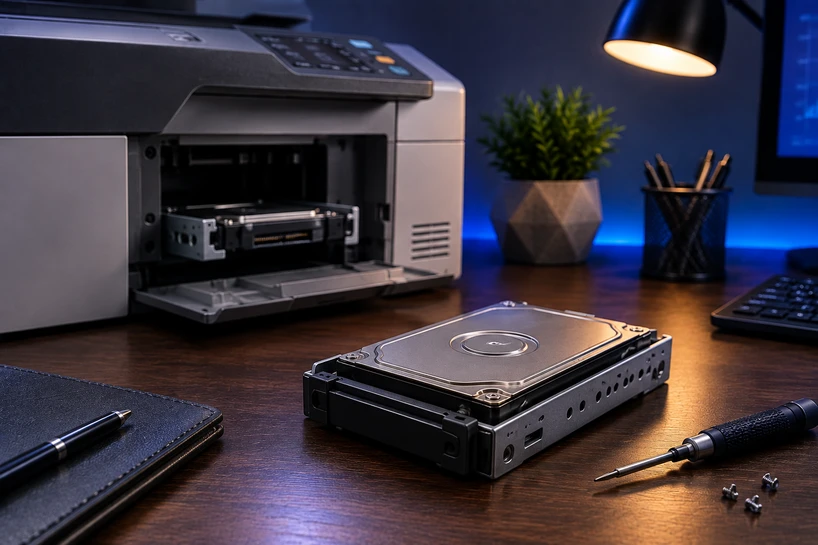
Most people never think about what happens inside their office printer after they hit "print." But every document you send often gets written to a Printer Hard Drive first.
That single detail matters more in 2026 than ever, because those stored files can hold contracts, payroll data, medical records, and client details long after the paper lands in the tray.
A Printer Hard Drive is the internal storage inside a business printer that holds print jobs, scanned files, and saved settings while the machine works. Understanding how it stores and protects that data is now a core part of running a safe, efficient office.
Document security has climbed to the top of the priority list for good reason. Printers sit on your network, connect to the cloud, and pass sensitive files through their systems all day.
Smart printing has grown fast, and with it, the storage inside these machines has become smarter too.
Understanding Printer Hard Drives
What Is a Printer Hard Drive?
A Printer Hard Drive is a storage device built into a printer that saves data related to print, copy, scan, and fax jobs. Think of it like the storage inside your computer, just placed inside your printer instead.
It holds files temporarily while a job runs, and in many machines, it keeps saved documents, address books, and job history for later use.
Not every printer has one. Small home printers usually rely on basic memory. Bigger office machines and multifunction printers almost always include a Printer Hard Disk because they handle far heavier workloads.
How Printer Hard Drives Store Data
When you send a document to print, the file travels to the printer and gets written onto the Printer Storage Drive. The machine reads that data, processes it, and prints the pages.
The catch is that the file often stays on the drive even after printing finishes, unless the printer is set to wipe it.
This is where the security concern comes in. A drive full of old print jobs is a record of everything that passed through the machine. That is why data handling on these drives deserves real attention.
Key Components of Printer Storage Systems
A printer storage system usually pairs the hard drive with RAM and a controller. RAM handles quick, short-term tasks while a job runs.
The Printer HDD handles larger, longer storage needs like saved documents and job queues. The controller manages traffic between the two so jobs move smoothly.
Why Modern Printers Use Internal Storage
Modern printers use internal storage because office work has outgrown simple memory. Large files, high page counts, and shared use across many people all demand a place to hold data steadily.
A Printer Disk Drive gives the machine room to queue jobs, store scans, and manage complex tasks without slowing down.
The Role of Printer Hard Drives in Everyday and Business Use
Managing High-Volume Printing Tasks Efficiently
In a busy office, dozens of people send jobs to the same printer at once. The Printer Hard Drive holds all those jobs in line and releases them in order.
Without that storage, big print runs would stall or fail. The drive keeps everything moving even during peak hours.
Temporary Storage and Processing of Print Jobs
Every print job needs a spot to sit while the printer prepares it. The drive gives each file that spot. It stores the job, lets the printer process the pages, then hands it off to print.
This temporary holding keeps the machine steady and prevents lost jobs.
Supporting Shared and Network Printing Environments
Office printers rarely serve just one person. They connect to a whole network of computers. Business Printer Storage makes shared printing possible by holding jobs from many users and sorting them cleanly.
Everyone gets their pages without files clashing or overwriting each other.
Enhancing Overall Workflow Efficiency
When a printer can store, queue, and process jobs on its own, your team stops waiting around. People send work and walk away.
The printer sorts the rest. That steady flow keeps the office productive and cuts down on the small delays that add up over a day.
How Printer Hard Drives Enhance Secure Print Management
Secure Document Storage
Secure Printer Storage keeps sensitive files locked inside the machine until the right person collects them.
Many business printers hold a job on the drive and only release it when the user enters a PIN or swipes a badge. That means a confidential document never sits in the tray for anyone to grab.
User Authentication and Access Control
Access control ties every print job to a real person. Before a document prints, the user proves who they are through a code, card, or login.
This stops random access and creates a record of who printed what. For offices handling private data, this control is a must.
Protecting Sensitive Business Information
Printer Hard Drives for secure business printing use features like encryption to scramble stored data. If someone tries to read the drive directly, they get nothing usable.
Encryption turns your stored files into locked code that only the printer can open, which shields payroll, legal, and client records.
Reducing Unauthorized Document Access
Old files left on a drive are a real risk. Good print management wipes each job after it prints, a process often called overwrite or data clearing.
This clears the trail so no one can pull up a document that ran last week. Secure Printer Hard Drives for office environments make this cleanup automatic.
How Printer Hard Drives Improve Business Workflow Efficiency
Faster Processing of Large Print Jobs
Big files like reports, blueprints, and image-heavy decks take work to process. A capable Printer HDD gives the machine the room to handle these jobs without freezing.
Pages come out faster, and the printer stays free for the next task sooner.
Managing Multiple Print Queues
A single office printer often juggles several queues at once. The drive keeps each queue separate and organized so jobs don't jumble together.
Printer Hard Drives for document management workflows sort this traffic so the right pages reach the right people.
Supporting Network Printing Environments
On a shared network, the drive acts as the traffic hub. It accepts jobs from every connected device, holds them safely, and prints them in a clean order.
This keeps a printer serving a whole floor of staff without breaking down under the load.
Improving Office Productivity
All of this adds up to less waiting and fewer reprints. Staff spend less time babysitting the printer and more time on real work. Printer Hard Drives for smart business workflows quietly remove the friction that slows a busy office.
Key Features to Consider in a Printer Hard Drive
Storage Capacity and Print Volume Requirements
Match the drive size to how much your office prints. A team pushing thousands of pages a day needs more space than a small group.
Too little storage causes stalls during heavy runs. Check your monthly print volume before you decide on capacity.
Data Encryption Capabilities
Encryption should sit near the top of your list. A drive that encrypts stored data protects you if the printer is stolen, sold, or hacked. Look for machines that support strong encryption standards and automatic data overwrite.
Compatibility With Business Printers
Not every drive fits every printer. Check that the storage works with your printer model and its firmware. A drive built for one brand may not run on another, so confirm the match before buying.
Reliability and Performance Considerations
A slow or failing drive drags down the whole machine. Look for drives with solid read and write speeds and a good track record for lasting through heavy daily use. Reliability keeps your workflow steady month after month.
Choosing the Right Printer Hard Drive for Business Needs
Assessing Organizational Requirements
Start by looking at how your office actually prints. Count your users, your daily volume, and the type of files you handle. A law firm printing contracts has different needs than a design studio printing large images.
Matching Storage Capacity to Print Volume
Once you know your volume, pick capacity that fits with a little room to spare. Buying slightly more than you need today saves you from upgrades later. Undersized storage leads to jams and slowdowns during your busiest days.
Security and Compliance Considerations
If your industry follows rules like HIPAA or GDPR, your printer storage must meet those standards. Choose drives with encryption and secure erase built in. Compliance is not optional when sensitive records pass through your machines.
Planning for Future Growth
Your print needs will grow as your business does. Pick storage that can handle more volume down the road so you are not replacing hardware every year. A little foresight here saves money and hassle later.
If you want to understand how this storage technology works at its core, our guide, Internal Hard Drives Explained for Every User in 2026, breaks down the fundamentals of drives, capacity, and data handling in a way that connects directly to what your printer relies on.
Future Trends in Printer Hard Drive Technology
AI-Driven Print Management Systems
AI is starting to shape how printers handle jobs. Smart systems now predict busy periods, flag security risks, and sort queues on their own. This makes the drive smarter about what it stores and when it clears data.
Cloud Printing and Hybrid Storage Solutions
More offices now mix local drives with cloud storage. Jobs can move between the printer's internal drive and secure cloud space, giving teams flexibility. Hybrid setups keep sensitive files local while lighter tasks run through the cloud.
Increasing Demand for Secure Printing Environments
As data rules tighten, businesses want printers that guard information by default. Demand for encryption, authentication, and auto-wipe features keeps climbing. The Printer Hard Drive sits at the center of this shift toward safer printing.
Future Relevance of Printer Hard Drive Technology
Even with cloud growth, internal storage stays relevant. Printers still need a reliable place to process and hold jobs on site. The technology will keep adapting, but the need for solid printer storage isn't going away.
Conclusion
Secure print management has become a real pillar of modern business, and the Printer Hard Drive sits right at its heart. These drives hold, protect, and process the documents that keep your office running, all while guarding the sensitive data inside them.
They also make your workflow smoother. From queuing big jobs to serving a full network, good printer storage keeps your team moving without the usual delays.
When you match the right drive to your volume, security needs, and growth plans, you set your office up for years of steady, safe printing. Take stock of what your business prints, weigh your security needs, and choose storage that fits both today and tomorrow.
Frequently Asked Questions
A: A Printer Hard Drive stores print, scan, copy, and fax data while the printer works. It holds jobs in a queue, processes large files, saves settings and address books, and in many offices keeps documents for reprinting. It gives the printer the room to handle heavy workloads without stalling.
A: They improve security through features like encryption, user authentication, and data overwrite. Encryption scrambles stored files so they can't be read directly. Authentication ties each job to a specific person and holds it until that person collects it. Overwrite wipes files after printing so old documents don't linger on the drive.
A: For most business printing, yes. Offices with high print volumes, shared network printers, and sensitive files need the storage a hard drive provides. It manages heavy workloads, sorts multiple queues, and supports the security features that protect confidential data. Small home printers can get by without one, but busy offices rely on them.
A: The main benefits are faster processing of large jobs, smooth handling of shared network printing, better document security, and organized print queues. Together, these keep the office productive and cut down on delays, lost jobs, and reprints.
A: They store and sort jobs from many users, keep separate queues organized, and hold scanned files for retrieval. This lets documents flow through the office in a clean, orderly way, so the right pages reach the right people without mix-ups.
A: Businesses can turn on drive encryption, require user authentication before printing, enable automatic data overwrite, and securely erase or destroy drives before disposing of a printer. Regular firmware updates and network security also help keep stored data safe.
A: Printer memory, or RAM, handles quick, short-term tasks while a job runs and clears when the printer powers off. A Printer Hard Drive offers larger, lasting storage that holds jobs, saved documents, and settings even after shutdown. Memory keeps things fast in the moment, while the drive keeps things stored over time.


