

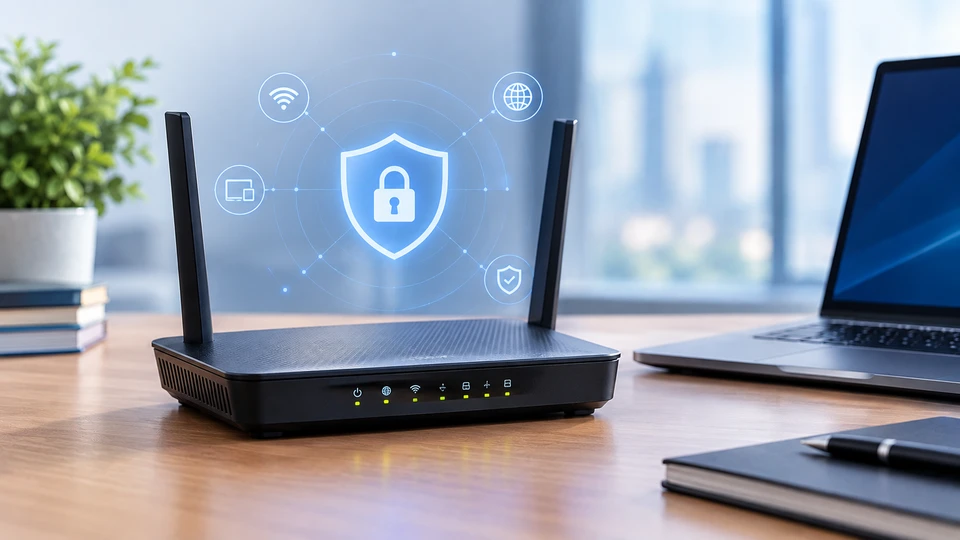
A router does much more than connect a network to the internet. It decides how traffic moves between networks, which devices can communicate, and which services can be reached. That makes router configuration a direct part of network security.
A router with weak settings can expose a network even when other security controls are in place. Default passwords, open management access, outdated firmware, weak WiFi protection, and unnecessary services can all create openings for unauthorized access.
Modern Network Routers also handle more connected devices than before. Businesses may have computers, phones, printers, cameras, servers, cloud-connected systems, and other smart devices sharing the same network.
Good router configuration helps control that traffic and reduces unnecessary exposure.
Understanding the Importance of Router Security
Routers in networking sit at an important point between internal devices and outside networks. Traffic often passes through them before reaching the internet or another network segment.
This position gives a router a clear security role. It can apply firewall rules, control access, separate networks, manage connections, and restrict certain types of traffic.
NIST describes routers as gatekeepers for networks because a compromised router can affect the security and availability of the network behind it.
Poor router settings can create several problems:
- Attackers may gain access through unchanged administrator credentials.
- Remote management may expose the router's control panel to the internet.
- Old firmware may leave known security weaknesses unaddressed.
- Weak wireless settings can make unauthorized access easier.
- Unnecessary services can create additional points of entry.
- Poor access rules can allow devices to reach systems they do not need.
This is why the importance of router configuration in network security goes beyond changing a WiFi password. The configuration controls how the router itself operates and how devices use the network.
Essential Router Configuration Basics
Before changing settings, access the router through its administrator interface using a trusted device and a secure connection.
The exact menu names depend on the router, but most Network Routers provide settings for administrator accounts, internet access, wireless networks, firewall rules, connected devices, firmware, remote management, and logging.
Start by reviewing the existing configuration.
Check the administrator account first. A factory username or password should never remain in place after deployment. CISA recommends changing default credentials before placing network equipment on an untrusted network.
Next, review which services are active. If the router provides remote administration, file sharing, discovery, or other services that the network does not need, disable them.
Keep a record of important configuration changes. This becomes especially useful in business environments where several people may manage the network.
Before making major changes, keep a secure backup of the current configuration when the router supports this feature. A backup can reduce downtime if a setting causes an unexpected network problem.
Best Router Security Settings for Modern Networks
A secure router configuration starts with administrative access.
Create strong administrator credentials
Use a unique administrator password that you do not use anywhere else. Avoid passwords based on company names, addresses, phone numbers, product names, or other information that someone could easily guess.
If the routers supports multiple administrator accounts, give each person their own account instead of sharing one password. Business routers may also support different permission levels, allowing administrators to receive only the access they need.
Turn off unnecessary remote management
Remote management deserves close attention because it can expose the router's administration interface beyond the local network.
If administrators don't need internet-based access to the router, disable it.
If remote administration is required, restrict it to approved users, trusted networks, or a secure management path. Do not leave the management interface open to everyone on the internet.
Use secure management protocols
Network equipment should not rely on old, unprotected administration methods.
For business environments, secure protocols such as SSH version 2 can provide encrypted administration instead of older remote-access methods.
Keep firmware current
Router firmware contains the software that controls the device. Security fixes may address vulnerabilities that attackers could otherwise exploit.
Check for firmware updates regularly and follow the manufacturer's supported update process. If the router supports automatic security updates, review how those updates work and whether the feature fits the organization's needs.
Do not treat firmware updates as a one-time setup task. Router security needs attention throughout the device's service life.
Secure Router Configuration for Enterprise Environments
Enterprise Router configuration requires more control because business networks contain more users, devices, applications, and locations.
A business router should not simply provide internet access. Its configuration should support controlled communication between different parts of the network.
Network segmentation can help separate groups of devices. For example, employee computers, guest devices, servers, security cameras, and IoT equipment may have different access requirements.
If an IoT device only needs to communicate with a specific service, there is little reason to give it unrestricted access to internal systems. NIST guidance on IoT security describes ways to control device communication and reduce the risk created by compromised devices.
Enterprise environments should also control who can administer routers and what each administrator can change.
Role-based access can limit administrative permissions based on job responsibilities. Centralized authentication can also make it easier to manage administrator access across multiple devices.
For businesses with several offices, consistent configurations matter as well. Each location should follow the organization's security requirements instead of relying on different settings at each site.
Strengthening WiFi Router Security
WiFi creates another path into the network, so wireless settings deserve the same attention as wired connections.
Start with strong wireless encryption. Modern equipment should support current WiFi security standards such as WPA3 where compatible. Enterprise networks can use WPA3-Enterprise with stronger authentication methods designed for business environments.
WiFi security also depends on how the wireless network is managed. NIST recommends securing wireless infrastructure throughout its full lifecycle, including design, deployment, maintenance, and monitoring.
Use separate wireless networks when different groups of devices need different access.
A guest network should not provide the same internal access as an employee network. IoT devices can also benefit from separate network controls when they do not need to communicate with employee computers or business servers.
Review the list of connected devices regularly. Unknown devices should be investigated rather than ignored.
If a router includes WiFi Protected Setup or another feature that creates unnecessary exposure, review whether the network actually needs it. It is specifically recommended to disable WPS when strengthening router security.
Access Control and Network Protection
Router security is closely tied to access control.
A router should allow only the traffic that the network actually needs. Unnecessary inbound access from the internet should remain blocked.
Port forwarding deserves particular attention. Each open port creates a path toward a device or service inside the network. If a business no longer needs a forwarded service, remove the rule.
The same idea applies to internal traffic. A device that only needs internet access should not automatically receive access to sensitive internal systems.
Network segmentation, firewall rules, device authentication, and controlled permissions can work together to limit unnecessary communication.
This approach becomes even more important as businesses connect more IoT devices. NIST's 2025 guidance on trusted IoT onboarding focuses on verifying devices and their security status before providing network credentials and maintaining control throughout the device lifecycle.
Common Router Security Mistakes to Avoid
Some router security problems come from settings that were never reviewed after installation.
Leaving default login credentials unchanged: Default accounts are well known and can provide an attacker with administrative access.
Using weak wireless passwords: A short or predictable WiFi password can make unauthorized access easier.
Leaving remote administration open: Internet-facing management access increases the router's exposure.
Ignoring firmware updates: Old firmware may contain known vulnerabilities that newer versions have fixed.
Keeping unused services active: Every unnecessary service adds another setting that needs protection.
Using broad access rules: Rules that allow more traffic than necessary can expose internal systems.
Ignoring connected devices: Unknown devices on the network can indicate unauthorized access or poor device management.
Making changes without records: If nobody knows what changed, troubleshooting and security reviews become harder.
Maintaining Router Security Over Time
Router security should continue after the initial setup.
Set a regular schedule for reviewing administrator accounts, firewall rules, remote access, port forwarding, wireless networks, connected devices, and firmware versions.
Monitor router logs when the device supports useful security logging. Logs can help identify repeated login attempts, unexpected connections, configuration changes, and other unusual activity.
Review the configuration whenever the business changes its network.
Adding a new office, cloud service, remote-access system, server, IoT device, or guest network may require new rules. Remove old rules when the related service or device is retired.
Keep configuration backups protected and restrict access to them. A configuration file can contain sensitive information, so it should not sit in an openly accessible folder.
For larger networks, centralized management can make it easier to maintain consistent settings and identify changes across multiple routers.
Router security makes more sense when you understand the basic job routers perform inside a network. Our Guide to Understanding Bridges and Routers in Computer Networking explains how routers and bridges handle network traffic and where they fit within a broader networking setup. It provides useful background before you start changing router configuration and network access controls.
Emerging Trends in Router Security
Router security is moving toward more controlled identity and device management.
Modern enterprise environments increasingly connect users, cloud services, remote locations, and large numbers of devices. NIST's guidance for secure enterprise networks discusses stronger network configurations for device management, user authentication, device authentication, access authorization, and prevention of attack escalation.
Device identity is also becoming more important. Instead of treating every device on a network as equally trusted, newer approaches can verify a device before allowing it to join and can continue checking its security status during its lifecycle.
Automation is another area to watch. Security systems can help detect unusual network behavior, identify configuration problems, and flag devices that do not meet required security conditions.
Wireless security is also advancing. WPA3 provides stronger protection than older wireless security methods, while WPA3-Enterprise supports stronger authentication and higher security options for organizations with demanding security requirements.
These developments do not remove the need for careful router configuration. They make good configuration even more important because modern security tools depend on correctly defined access rules, identities, networks, and devices.
Conclusion
Router configuration directly affects how well a network controls access and protects connected systems.
A secure network router should have strong administrator credentials, limited management access, current firmware, appropriate firewall rules, secure wireless settings, and controlled access between network segments.
Businesses also need a process for reviewing router settings as their networks change. A configuration that made sense when a router was installed may no longer fit after new users, devices, locations, or services are added.
The goal is not to turn every router setting into a complicated security project. It is to remove unnecessary access, protect administrative controls, separate devices where needed, and keep the configuration under regular review.
Frequently Asked Questions
A: Start by changing all default administrator credentials and reviewing the router's management settings. Disable remote administration unless the business needs it. Use current WiFi security, update the firmware, review firewall rules, remove unnecessary port forwarding, and separate guest or IoT devices from sensitive internal systems where appropriate.
A: Routers control traffic between networks and can enforce access rules. Poor settings can expose administrative interfaces, wireless networks, internal services, or connected devices. Proper router configuration reduces unnecessary access and helps control how devices communicate.
A: Router configuration determines which services are exposed, who can manage the device, which traffic can enter or leave the network, and how different devices communicate. A weak configuration can create an opening even when computers and other devices have their own security controls.
A: A modern router should support secure administrator access, current firmware, strong wireless encryption, firewall controls, restricted management access, useful logging, access controls, and secure authentication. Business-focused equipment may also support centralized management, role-based permissions, network segmentation, and stronger authentication methods.
A: Enterprises can maintain consistent security by using documented configuration standards, centralized administration where appropriate, controlled administrator accounts, regular firmware reviews, configuration backups, logging, and periodic security checks. Each location should also receive settings based on its actual network requirements.
A: Yes. Router configuration controls wireless encryption, network passwords, guest access, connected-device access, and other wireless settings. Separating guest and IoT networks from sensitive business systems can also reduce the access available to an unauthorized or compromised device.


