

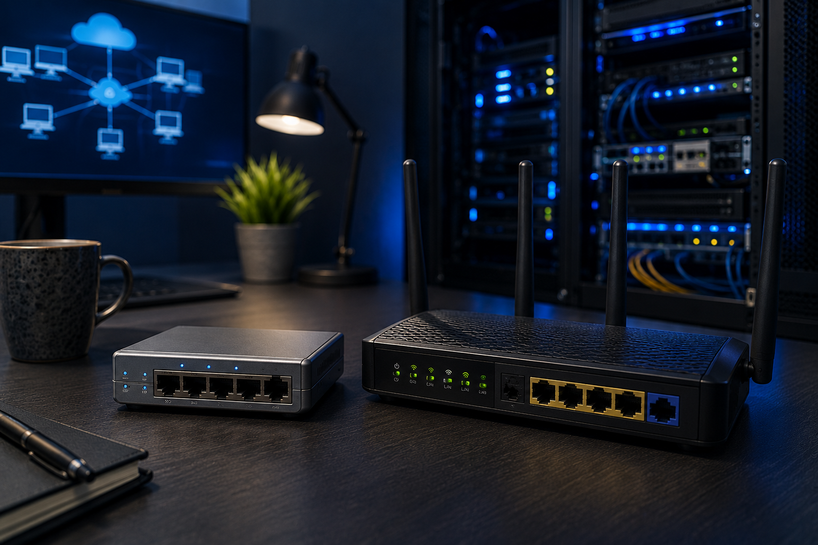
Bridges and routers move data where it needs to go. A bridge joins segments of one local network so they behave as a single, orderly unit. A router connects separate networks and picks the best path for every data packet.
Together, these networking devices keep homes, offices, and data centers talking to each other without wasted traffic.
Every modern network depends on hardware like this. Your Wi-Fi at home, the checkout system at a store, and the servers behind a cloud app all count on bridges, routers, or both doing their job quietly in the background.
What Are Bridges and Routers in Computer Networking?
Bridges and routers are hardware devices that control how data travels. A bridge works inside one network. It links two or more segments at the data link layer and forwards traffic using MAC addresses, the unique hardware IDs built into every network card.
A router works between networks. It reads IP addresses and decides which path each packet should take next, whether that's another office network or the wider internet.
Both devices solve the same basic problem: getting data from point A to point B without flooding every device along the way. Remove them, and a network turns into a shouting match where every message reaches everyone, wanted or not.
Bridges and routers are only two pieces of a larger system that also includes switches, cabling, protocols, and security controls. For the full picture of how those parts fit together, read our guide: What is Computer Networking? A Complete Guide 2026. It covers every core component, the main network types, and the trends shaping networks this year.
How Bridges and Routers Work in Computer Networks
A bridge listens to traffic on each connected segment and builds a table of MAC addresses. When a frame arrives, the bridge checks that table.
If the destination sits on the same segment as the sender, the bridge drops the frame instead of forwarding it. If the destination sits on another segment, the bridge passes it across. That one decision removes a large share of pointless local traffic.
A router goes further. It reads each packet's IP address, checks a routing table, and forwards the packet toward the network that owns that address. Routers also handle related jobs, like assigning local IP addresses through DHCP and translating private addresses into public ones through NAT.
The two devices operate at different layers, so they don't compete. In a well-built network, bridging keeps local segments clean while routers carry traffic out to other sites and to the internet.
Understanding Network Bridges
A network bridge is a device, or a software feature, that connects two or more segments of the same local network. Early Ethernet networks used bridges to split one crowded segment into smaller ones, cutting collisions and freeing up bandwidth for everyone.
Bridges filter traffic by MAC address. Each frame gets forwarded or blocked based on where the destination device actually sits, so devices on segment A can talk freely without their traffic spilling into segment B.
You'll still find bridges in a few common places today. Wireless bridges connect two buildings without laying cable. Operating systems use software bridging to link a virtual machine to a physical network.
And modern switches are really multiport bridges at heart, applying the same MAC-based filtering across dozens of ports at once.
Understanding Network Routers
A network router connects separate networks and forwards packets between them using IP addresses. It's the device that turns your local network into part of the internet.
At home, one router does nearly everything. It links your LAN to your internet provider, hands out IP addresses, runs the Wi-Fi, and applies a basic firewall. Business routers carry heavier loads. They connect branch offices over WAN links, run VPN tunnels for remote staff, apply priority rules so video calls stay smooth, and hold routing tables for much larger networks.
A router also acts as a natural security checkpoint. Every packet entering or leaving a network passes through it, which makes it the logical place to filter traffic and block anything that doesn't belong.
Difference Between Bridges and Routers in Networking
The quickest way to separate the two: bridges join pieces of one network, while routers join different networks. The table below breaks it down.
|
Feature |
Bridges |
Routers |
|
Main Function |
Connect network segments |
Connect different networks |
|
Traffic Handling |
Uses MAC addresses |
Uses IP addresses |
|
OSI Layer |
Layer 2 (Data Link) |
Layer 3 (Network) |
|
Communication Scope |
Local network level |
Multiple network level |
|
Performance |
Reduces local traffic |
Manages network routing |
A simple test works in practice. If the job is cleaning up traffic inside one building or one LAN, that's bridge territory. If the job is moving data between networks, or reaching the internet at all, you need a router.
Router Chassis & Modules in Modern Networking
Enterprise routers rarely ship as sealed boxes. Many are built around a router chassis, a frame that holds the power supply, cooling, and a row of open slots.
Network teams fill those slots with modules that add exactly what the network needs: extra Ethernet ports, fiber interfaces, WAN cards for carrier links, or cellular modules for backup connectivity.
This modular design pays off as networks grow. When a branch adds a fiber line, the team slides in a new interface card instead of replacing the whole router.
The chassis, operating system, and configuration stay put. Large organizations run chassis-based routers at their network cores and data centers for exactly this reason: capacity grows slot by slot rather than box by box.
At Server Blink, router chassis and modules sit alongside standalone bridges and routers in our networking catalog, so teams can source the base unit and the interface cards from one place.
Role of Bridges and Routers in Modern Networking
Modern networks juggle video calls, cloud apps, backups, cameras, and dozens of small IoT devices at once.
Bridges and bridge-style switching keep that local traffic orderly, so a file transfer between two desks never touches the internet link. Routers keep the outbound side healthy by picking working paths, sharing loads, and rerouting around failed links before users notice.
They carry much of the security load too. Segmented networks limit how far a compromised device can reach, and routers apply access rules at every network boundary.
A network built on well-configured bridges and routers stays stable even as device counts climb year after year.
Bridges and Routers for Home and Business Use
At home, a single wireless router covers most needs, and a wireless bridge can extend the network to a garage or outbuilding that Wi-Fi can't reach.
Small businesses follow the same pattern with stronger hardware: a business-grade router at the internet edge, switches acting as bridges inside, and sometimes a point-to-point bridge linking two buildings.
Larger organizations layer the same ideas. Chassis routers sit at the core, branch routers connect remote sites, and Layer 2 bridging keeps each floor or department in its own tidy segment. The concepts stay the same at every scale. Only the port counts and price tags change.
Challenges of Using Bridges and Routers
These devices aren't set-and-forget. Congestion builds when too many devices share one segment or when a router's WAN link runs out of headroom, and users feel it as lag and dropped calls. Misconfiguration hurts even more.
A wrong routing entry can send traffic into a dead end, and a bridging loop can flood a LAN within seconds unless spanning tree protection is switched on.
Coverage has limits as well. One router can't blanket a large or oddly shaped building, so dead zones appear without extra access points or bridges.
Unmanaged devices carry real security risk too. Routers running default passwords or outdated firmware are a favorite target for attackers, since one compromised router exposes everything behind it. Regular firmware updates and careful configuration close most of these gaps.
Future of Bridges and Routers in Networking
Routing keeps getting smarter. AI-assisted platforms now watch traffic patterns, flag odd behavior, and suggest fixes before users report a problem.
Cloud-managed routers are becoming the default for multi-site businesses, since one dashboard can configure and monitor hardware across fifty locations at once.
The hardware keeps pace. Multi-gigabit ports, Wi-Fi 7 support, and faster chassis modules are spreading across product lines, while zero-trust designs push identity checks and encryption to every network boundary.
The core jobs of bridging and routing aren't going anywhere. The devices doing them are simply getting faster, safer, and easier to run.
Conclusion
Bridges keep local traffic clean. Routers connect networks and choose the paths between them. Once you understand what each one does, half of networking starts to make sense, from a two-room home setup to a multi-site enterprise WAN.
If you're building or upgrading a network, Server Blink stocks bridges, routers, chassis systems, and interface modules from trusted brands, and we accept purchase orders from businesses, schools, and government agencies.
Browse our networking range or contact our team for help matching the right hardware to your setup.
Frequently Asked Questions
A: Bridges and routers are networking devices that direct data traffic. A bridge connects segments of one local network and filters traffic using MAC addresses, while a router connects separate networks and forwards packets using IP addresses.
A: A router reads the destination IP address on each incoming packet, checks its routing table, and forwards the packet along the best available path toward that network. Most routers also assign local IP addresses, translate private addresses to public ones, and filter unwanted traffic.
A: A bridge splits one local network into segments and blocks traffic from crossing between them unless it actually needs to. This cuts down collisions and wasted bandwidth, keeping each segment faster and cleaner.
A: A router links a local network to other networks, including the internet, and picks the path each packet takes. It also acts as a checkpoint where traffic can be filtered, prioritized, and secured before it enters or leaves the network.
A: Bridges cut unnecessary local traffic by keeping frames within their own segment, so devices spend less time processing data meant for someone else. Routers pick reliable paths between networks and reroute around failures, which keeps connections steady even when a link goes down.
A: Yes, and most networks run both. Bridging, built into modern switches, keeps traffic organized inside the LAN, while the router handles everything that needs to leave the local network. Each device covers a layer the other doesn't touch.


