

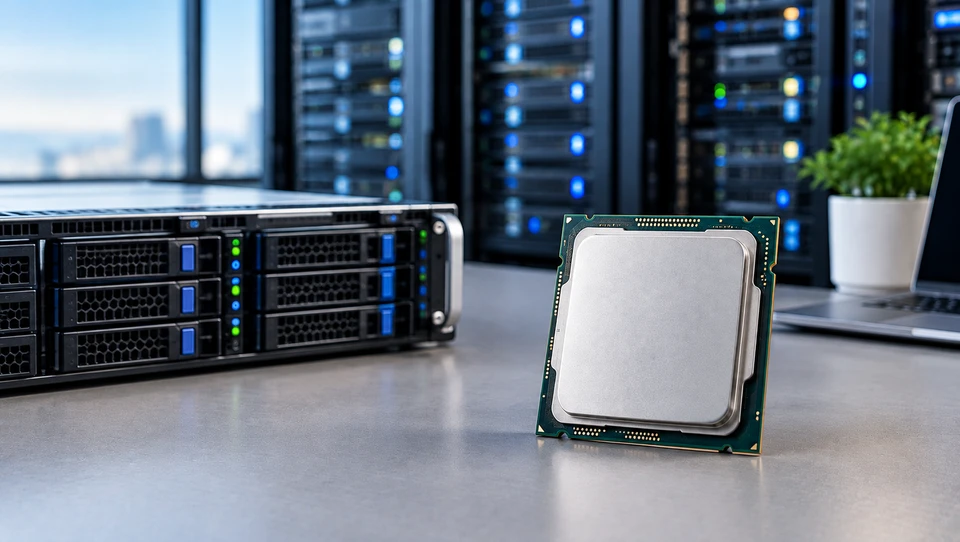
A server processor spends its whole life under load. There are no idle afternoons, no shutting down at 6 pm.
It sits in a rack answering requests, running virtual machines, and feeding data to GPUs that often cost more than the server holding them. That difference in duty shapes nearly every design choice inside server CPUs.
The demands have moved quickly. A few years ago, 32 cores in a socket felt like plenty for most racks. Today a single socket can carry up to 192 cores, twelve channels of DDR5 memory, and 128 PCIe lanes.
AI work pushed memory bandwidth and I/O into the spotlight, and choosing a CPU on core count alone stopped giving good results.
Understanding the Role of Server Processors
A server processor runs the instructions that keep a machine serving other people's work. It schedules thousands of tasks per second, moves data between memory, storage, and network cards, answers interrupts from every device in the chassis, and runs the hypervisor that keeps virtual machines separated from each other.
How CPUs manage demanding server workloads
A web tier might hold tens of thousands of open connections at once. A database node might keep a 500GB working set in RAM.
Neither job rewards one very fast calculation. Both reward handling many small pieces of work in parallel without any single request waiting too long. So server CPUs are built wide instead of tall: more cores, more memory channels, more cache and far more I/O paths than any desktop part carries.
Why reliability and continuous operation matter
Server CPUs support ECC memory and carry RAS features such as machine check architecture, memory mirroring, and poison data containment. A single-bit memory error gets corrected and logged instead of corrupting a transaction.
Chip makers validate these parts for years of nonstop running and back them with long firmware support windows, which is why they carry higher price tags than desktop silicon with similar core counts.
Server Processor vs desktop CPU
|
Feature |
Desktop CPU |
Server CPU |
|
Cores per socket |
8 to 24 |
16 to 192 |
|
Memory channels |
2 |
8 to 12 |
|
Memory type |
Non-ECC UDIMM |
ECC RDIMM or MRDIMM |
|
PCIe lanes |
20 to 28 |
80 to 128 |
|
Socket support |
Single |
1, 2, 4 or 8 socket |
|
Peak clocks |
Higher |
Lower, but held longer |
Exploring Server Processor Architecture
CPU cores and threads
A core is a real execution engine. A thread is a queue feeding it. With simultaneous multithreading, one core presents two threads, so AMD's EPYC 9005 series reaches 192 cores and 384 threads in a socket. Intel splits the approach: Xeon 6 performance-core parts go up to 128 cores, while the efficiency-core parts reach 288 cores with one thread each and trade peak speed for density.
Clock speed and processing cycles
Base clock is the floor the chip guarantees at its rated power. Boost clock is what a few cores hit briefly. The number that predicts real behaviour is the all-core sustained speed, and vendors rarely print it on the box. A 2.0GHz base on a 128-core part is not slow; it is the honest reading of what 128 cores can hold together inside a 400W budget.
CPU cache and data access
Cache sits between the cores and main memory in layers. L1 and L2 belong to each core; L3 is shared. A hit in L3 costs a few dozen nanoseconds; a trip to DRAM costs several times that. Chips built for cache-hungry jobs go far beyond the norm, and AMD's 3D V-Cache parts stack up to 1.1GB of L3 in one socket. For simulation and in-memory database work, that stacked cache frequently beats a higher clock speed by a wide margin.
Single-socket and multi-socket configurations
Two sockets double cores, memory channels and lanes, but the two chips talk over an interconnect that is slower than local memory. Software that ignores NUMA boundaries can lose a chunk of that gain. Modern single-socket servers now carry enough cores and lanes that many builds skip the second socket entirely and save on licensing.
Parallel processing capabilities
Wide vector units let each core chew through many numbers per cycle. Zen 5 cores run a full 512-bit AVX-512 data path, and Intel adds AMX matrix units for tensor maths. These units are the reason a CPU can serve small AI models on its own.
Key Server Processor Specifications
- Core and thread count: Match it to concurrent work, not to ambition. Idle cores still cost licence money.
- Base and boost clock speeds: Read base for planning, boost for bursts.
- Cache size: Bigger shared L3 cuts memory trips. Watch L3 per core, not just the total.
- Memory capacity and bandwidth: Twelve DDR5-6400 channels deliver roughly 614GB/s per socket. MRDIMMs running at 8800MT/s push past 840GB/s on supporting platforms.
- PCIe lanes and connectivity: 128 Gen5 lanes per socket cover multiple GPUs, NVMe drives, and 400G networking without a switch chip.
- TDP and power requirements: Flagship parts sit between 350W and 500W, which changes your cooling and PSU maths before it changes anything else.
How Server Processors Handle Different Workloads
Virtualization: Core count and RAM capacity rule here. More cores mean more VMs per host, and features like nested page tables and I/O virtualization keep the hypervisor overhead small. Dense single-socket hosts have become popular because per-socket software licences hurt.
Database applications: A server processor for database workloads needs strong per-core speed and large cache. Transaction commits happen on one thread at a time, so a 64-core part at 3.7GHz with plenty of L3 serves OLTP better than a 192-core part at 2.2GHz. Analytical queries flip that preference toward cores and bandwidth.
Cloud computing: Providers care about performance per rack and per watt. That is what drove Arm designs like AWS Graviton4 with 96 cores, Google Axion, and AmpereOne into hyperscale racks.
High-performance computing: Memory bandwidth per core decides most HPC results. Solvers stall waiting on data long before they run out of maths ability.
Data analytics: Columnar scans love wide vector units, high bandwidth, and lots of threads. Spark and similar frameworks scale nearly straight with cores when storage keeps up.
Server Processors for AI and Machine Learning
CPU Requirements for AI Workloads
A server CPU for AI does three jobs: it runs smaller models directly, it prepares data, and it keeps accelerators fed.
- AI inference: Built-in matrix units and INT8 or bfloat16 support let CPUs serve classical models, recommendation engines, and small language models at low batch sizes without any GPU. Latency stays predictable because nothing crosses a bus.
- Machine learning tasks: A server processor for machine learning spends most of its cycles on feature engineering, tokenising, decoding images, and shuffling batches. Those steps are branchy and thread-hungry rather than maths-hungry.
- Parallel processing requirements: Rule of thumb from production builds: budget 8 to 16 CPU cores per GPU so the data pipeline never becomes the bottleneck.
CPU and GPU Cooperation
CPU role in GPU-accelerated systems: The CPUs & Processor loads and decodes data, launches kernels, synchronises devices, and handles gradient exchange across nodes. A weak CPU leaves expensive GPUs sitting at 40% use, and that shows up on the electricity bill long before it shows up in a benchmark.
Data transfer between CPU, GPU, and memory: A PCIe 5.0 x16 link moves about 64GB/s each way. Tight CPU-GPU designs go further: NVIDIA's Grace platform links its 72-core CPU to the GPU over a 900GB/s coherent connection, which removes the copy step altogether for large working sets.
Why PCIe and memory bandwidth matter: Count your lanes honestly. Eight GPUs at x16 need 128 lanes before you add NVMe and NICs. Then check that host memory bandwidth can fill those links at the same time.
Understanding Server Processor Performance
Single-threaded vs multi-threaded: Single-thread speed sets how fast one request finishes. Multi-thread throughput sets how many finish per second. Licence-limited databases and legacy applications want the first; render farms and container hosts want the second.
Core count vs clock speed: Power budgets force the trade. Adding cores means dropping sustained clocks. Pick the side your software actually uses.
Cache and memory bandwidth: Bandwidth per core falls as core counts climb. A 192-core socket on twelve channels gives each core less than a quarter of what a 32-core socket gives. For bandwidth-bound code, a smaller part can genuinely win.
Sustained performance under heavy workloads: Boost numbers last seconds. What matters is the clock a chip holds after twenty minutes in a warm rack with airflow restrictions. Poor cooling turns a fast CPU into a mid-range one.
Benchmarks vs real workloads: SPEC CPU 2017 and TPC results are useful for narrowing a shortlist. They do not model your query mix, your storage latency or your hypervisor overhead. Test with your own workload before you commit to a fleet.
Server Processor Compatibility Factors
Wondering how to check server processor compatibility? Work through these six points in order:
- CPU socket: EPYC 9004 and 9005 share SP5 (LGA 6096). Xeon 6 6900P uses LGA 7529, the 6700 series uses LGA 4710, and older Sapphire Rapids and Emerald Rapids parts use LGA 4677. Sockets do not cross generations casually.
- Motherboard and chipset: Check the board maker's tested CPU list by exact part number, not by family.
- RAM support: Confirm DDR5 speed, RDIMM vs. MRDIMM type, and rated capacity. Populating two DIMMs per channel drops the supported speed on most platforms.
- BIOS and firmware: A newer CPU in an older board needs a BIOS with the right microcode, and you have to flash it with a supported CPU already installed.
- PCIe compatibility: Gen5 and Gen6 devices negotiate down to whatever the host offers, so a Gen4 platform quietly halves your accelerator bandwidth.
- Cooling and power: Heatsinks are rated in watts. A 400W part in a chassis rated for 280W will throttle from the first minute.
Balancing Server Processor Power and Efficiency
TDP describes the thermal load a cooling solution must clear, not the peak wattage the chip can draw. Many server parts also offer configurable TDP, letting you run a 400W processor at 320W and give up only a small slice of throughput.
Performance per watt is the number that decides fleet costs. Denser parts with lower clocks nearly always win it, because power climbs faster than clock speed at the top of the voltage curve.
Above roughly 400W, air cooling starts to run out of room, and direct liquid cooling moves from a nice extra to a requirement. Idle draw deserves a look too, since a rack of servers at 20% use spends most of the month idling.
Choosing a Server Processor for Your Requirements
- Name the primary workload: Virtualization, database, analytics, AI training or web serving. One of them dominates.
- Size cores and threads: Count peak concurrent work, then add about 25% headroom. Check your software licence model first, because it can make a smaller part cheaper overall.
- Check memory and I/O: Add up your RAM capacity target and your PCIe device count with real lane numbers.
- Decide which performance profile fits: Per-core speed or aggregate throughput.
- Verify compatibility: Socket, BIOS, DIMM type, heatsink rating.
- Leave growth room: Pick a platform where the next generation drops into the same socket, and leave a few DIMM slots and lanes free.
Emerging Developments in Server Processor Technology
Core counts keep climbing, with next-generation designs pointing toward 256 cores in a socket. Memory is moving to MRDIMM and CXL-attached pools, which lets a server expand capacity past its DIMM slots.
PCIe 6.0 doubles per-lane bandwidth again and is landing in platforms through 2026 and 2027. Performance per watt keeps improving through smaller process nodes and chiplet layouts.
Mixed-compute designs are spreading, with general cores sitting beside accelerators for encryption, compression, and matrix maths inside one package.
Processor families are also splitting into more distinct tiers, so a four-socket analytics box and a single-socket edge node no longer share the same silicon.
Server Processor Selection Checklist
- Workload identified and profiled
- Core and thread count matched to concurrency and licences
- Clock speed and cache suited to per-core or throughput needs
- Memory type, speed and capacity confirmed against the CPU spec
- PCIe lane count totalled for GPUs, NVMe and networking
- Socket, chipset and BIOS version verified
- Heatsink rating and PSU headroom checked against TDP
- Upgrade path and spare capacity planned
If you are weighing specific chips rather than learning the groundwork, our Buying Guide: How to Pick the Right Processor (CPU) in 2026 takes the ideas above and applies them to real part numbers across current server CPU families.
Conclusion
Server processor technology in 2026 gives you more choice than ever, which also makes bad choices easier.
Cores, clocks, cache, bandwidth, and lanes all trade against each other inside a fixed power budget, so the right part is always the one that matches your workload rather than the one at the top of the spec sheet.
Profile what you run, count your lanes and DIMMs honestly, confirm the socket and BIOS, and size your cooling for the TDP you picked. Do that, and the processor stops being a gamble.
Frequently Asked Questions
A: A server processor runs and schedules all general compute work in a server. It coordinates memory, storage, network traffic, and any attached accelerators, and it runs the operating system or hypervisor that everything else depends on.
A: It depends on concurrency. Small web and file servers run well on 8 to 16 cores. Virtualization hosts commonly use 32 to 64. Large analytics and cloud nodes go to 96 cores and beyond. Transactional databases often perform better with fewer, faster cores than with a high core count.
A: Through built-in matrix and vector units that handle INT8 and bfloat16 maths for inference, and through enough cores, memory bandwidth, and PCIe lanes to keep GPUs supplied with data. Plan on roughly 8 to 16 CPU cores per GPU in accelerated systems.
A: Match the socket, then check the motherboard vendor's tested CPU list for your exact part number, confirm the required BIOS version, verify DIMM type and speed support, check the PCIe generation, and make sure the heatsink and power supply are rated for the CPU's TDP.
A: High core and thread counts, large memory capacity across many channels, hardware virtualization support including nested paging and I/O virtualization, plenty of PCIe lanes for storage and networking, and ECC memory support for stability.
A: Large L3 cache keeps hot index and table pages close to the cores, strong per-core speed shortens single-threaded transaction commits, and wide memory bandwidth speeds up scans. Cache-heavy parts show some of the biggest gains on in-memory database work.
A: Yes. Current server CPUs offer 80 to 128 PCIe 5.0 lanes per socket, which covers four to eight GPUs at full x16 width once you account for NVMe drives and network cards. Confirm the lane budget and the platform's PCIe generation before planning a multi-GPU build.


