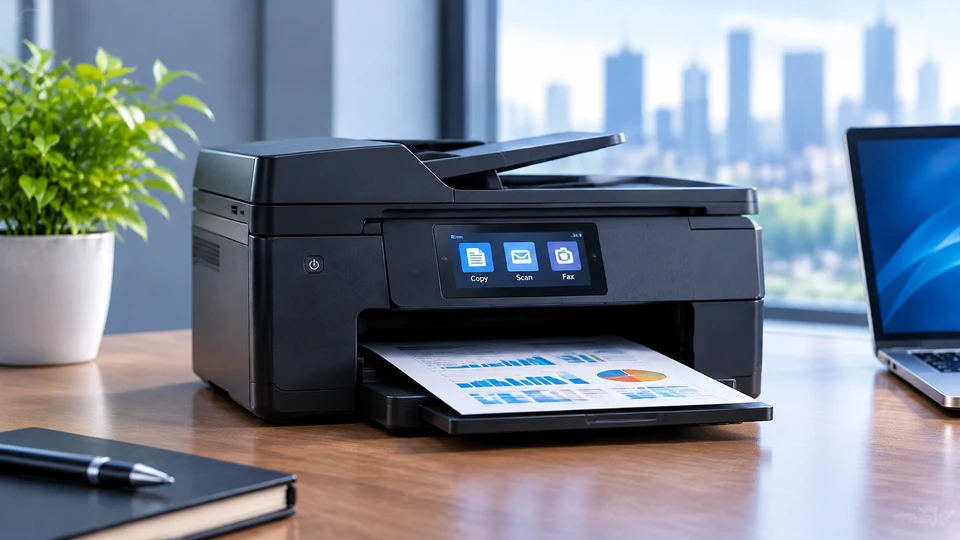
An all-in-one printer combines printing, scanning and copying into one machine. The real question is: which one fits your desk, your workload and your budget? In 2026, you’ll find inkjet, laser and ink tank models each with different strengths. This guide breaks down what matters so you can choose without second guessing.
The multifunction printer market grew from $34.91 billion in 2025 to an estimated $37.29 billion in 2026, according to Research and Markets. Remote work, small offices and device consolidation are driving that growth. This guide covers technologies, performance factors, running costs and a practical checklist.
Discover Why All-in-One Printers Are a Practical Choice
Combining printing, scanning and copying into a single machine removes the need for multiple devices. For everyday document management, that means fewer steps: print a contract, scan a receipt, copy an ID without switching equipment or software. That convenience is why these devices remain popular in homes and small offices, where space and simplicity matter as much as raw performance.
One Device for Multiple Tasks
You print contracts, scan receipts, copy IDs. A multifunction printer handles all of it without extra equipment. Fewer cables. Less clutter. One driver to manage. For small spaces, that’s a real win. You also reduce maintenance because there’s only one device to update, clean and troubleshoot.
Where All-in-One Printers Fit Best
Home users print school forms and occasional photos. Home offices scan invoices and print shipping labels. Small businesses need reliable daily output. Shared workspaces need Wi-Fi and multi user support. A multifunction printing device should match your environment, not the other way around. If you work from home, an all-in-one printer with cloud printing can replace trips to a local print shop.
Compare Inkjet, Laser and Ink Tank Technology
The inkjet vs laser all-in-one printer debate and where the ink tank fits in comes down to output, usage patterns and ongoing process. Each technology is built for different needs. Understanding these differences helps you avoid buying a printer that performs well in the store but falls short in daily use.
Inkjet Technology
An inkjet all in one printer sprays liquid ink. It excels at photos and color graphics. Upfront cost is low, but cartridges are expensive, often 7 to 20 cents per page. Ink can dry out if you don’t print often. Best for occasional mixed use. If you print a few pages a week and want color, an inkjet is fine. Just don’t let it sit idle for months.
Laser Technology
A laser all in one printer uses toner and a fuser. It produces sharp text fast. Monochrome lasers are cheap to run as low as 1.1 cents per page. Toner doesn’t dry out, so they’re reliable after long idle periods. Color lasers cost more but handle document heavy color work. Laser technology is the go-to for offices that print contracts, reports and invoices daily.
Ink Tank Technology
Ink tank printers use refillable reservoirs. One bottle can last thousands of pages. Cost per page drops to around 1 cent for black and 2-3 cents for color. Upfront price is higher (250-400), but high volume users save quickly. If you’re weighing ink tank vs inkjet all-in-one printer, ink tank wins for frequent color printing. Digit’s 2026 comparison supports this.
Focus on Performance and Productivity
Performance and productivity separate a printer that just works from one that slows you down. Speed and output quality determine how fast and how well documents are produced. Paper handling and connectivity affect how smoothly the device fits into your routine. Matching these factors to your actual workload is the key to staying productive.
Speed and Output Quality
Print speed and resolution are the two specs that matter most. Speed is measured in pages per minute (ppm). Entry inkjets: 10-15 ppm. Office lasers: 25-50 ppm. For text clarity, 600 dpi is fine. For color and image reproduction look for 4,800 x 1,200 dpi. Also check the first page out time if you print short documents frequently.
Paper and Document Handling
Check tray capacity: 250 sheets are standard for home offices. An automatic document feeder (ADF) saves time on multipage scans. Duplex printing cuts paper use and costs. Make sure the printer supports the paper sizes you use: letter, legal, A3, envelopes and card stock. A good ADF can scan both sides in one pass, which doubles throughput on two sided originals.
Make Everyday Printing More Convenient
Convenience features determine how easy an all-in-one printer is to live with day to day. Wireless connectivity, smart controls and cloud based printing reduce the steps between you and a finished document. For busy homes and small offices, these features often matter more than raw speed.
Wireless Printing and Device Compatibility
A wireless all in one printer connects over Wi-Fi. Most support Air Print, Mopria and manufacturer apps. Ethernet is useful for stable office networks. Verify compatibility with your computers, laptops, smartphones and tablets before buying. Wi-Fi Direct is handy when you don’t have a router nearby.
Smart Controls and Printing Features
Touchscreens make setup easier. An all-in-one printer with cloud printing lets you print from Google Drive or Dropbox without a computer. Scan to cloud is a quiet productivity boost for hybrid workers. PCMag’s 2026 roundup highlights these as key differentiators. Mobile apps also let you monitor ink levels, manage devices and order supplies before you run out.
Look Beyond the Initial Printer Price
The purchase price is only one part of the cost. Consumables, replacement frequency and your actual printing volume determine whether a printer is truly affordable over time. A cheap machine with expensive ink can cost more than a higher priced model that sips toner or refillable ink.
Consumables and Replacement Costs
The sticker price is not the real cost. Here’s how to calculate all-in-one printer cost per page: divide cartridge price by page yield. A $30 cartridge yielding 250 pages costs 12 cents per page. A $17 ink bottle yielding 30,000 pages costs about 0.57 cents. That’s a 20x difference. Check whether the printer uses ink cartridges, toner or refillable ink and how often replacements are needed.
|
Factor |
Cartridge |
Ink Tank |
Laser |
|
Upfront cost |
Lowest |
Higher |
Mono: affordable; Color: higher |
|
Cost per page (mono) |
7-10 cents |
1 cent |
1.1-3.7 cents |
|
Cost per page (color) |
10-20+ cents |
2-3 cents |
12-17 cents |
|
Best for |
Light mixed use |
Regular color |
Document-heavy |
Printing Volume and Long-Term Expenses
The NY Post found typical home users spend about $120 per year on ink. Over three years, that’s $360 more than the printer itself. If you print more than 15-20 pages a week, an ink tank or laser model usually saves money. Low volume users can stick with cartridge inkjet. The key is to be honest about how much you actually print and factor in total ownership.
Find the Right All-in-One Printer for Your Setup
- For Home Users: Prioritize versatility, compact size and convenient wireless features. A cartridge inkjet or budget ink tank fits most households.
- For Students: Consider simple operation, moderate printing needs and manageable consumable costs. A compact inkjet with Wi-Fi covers assignments and occasional color projects.
- For Home Offices: Look for productivity features, reliable scanning and efficient document handling. An ink tank or laser with an ADF, duplex printing and cloud support works well.
- For Small Businesses: Focus on speed, capacity, connectivity and consistent performance. A color laser or high capacity ink tank handles daily output.
- For Frequent Color Printing: Consider inkjet or ink tank technology based on volume and running costs. Ink tank is better for high volume color.
- For Document-Heavy Workloads: Consider laser all-in-one printers for speed and sharp text output. Monochrome lasers are especially cost effective.
For a complete technology setup, see our pillar guide: The Ultimate Printer Buying Guide: Tips and Recommendations It covers broader printer buying factors, while this cluster focuses specifically on all in one models.
Build a Smarter All-in-One Printer Buying Checklist
A smarter buying checklist starts with your real printing habits, not the spec sheet. First, estimate your monthly print volume and decide whether color is truly necessary if not, a monochrome laser often costs less over time. Next, compare inkjet, laser and ink tank technology against that workload, then check print and scan quality, Wi-Fi and mobile support, paper tray capacity, automatic document feeding and duplex printing. After that, calculate cost per page, because a cheap upfront price usually means expensive ink later. Finally measure your desk space and consider future printing needs so your all in one printer still fits your setup in 2026 and beyond.
Frequently Asked Questions
A: Match the printer to your workload. Inkjet for photos, laser for documents, ink tank for high volume color.
A: Duplex printing, an automatic document feeder, Wi-Fi, cloud printing and a reasonable cost per page.
A: A laser printer for documents or an ink tank model for color. Both cost far less per page.
A: Most handle letters and legal. Some support A3. Check specifications for envelopes.
A: Yes. if it’s network-connected via Wi-Fi or Ethernet. Cloud printing extends access.
A: Divide the cartridge or refill price by its page yield. $30 ÷ 250 pages = 12 cents per page.
A: Many can, but a dedicated multipurpose tray usually works better. Check the manual.