

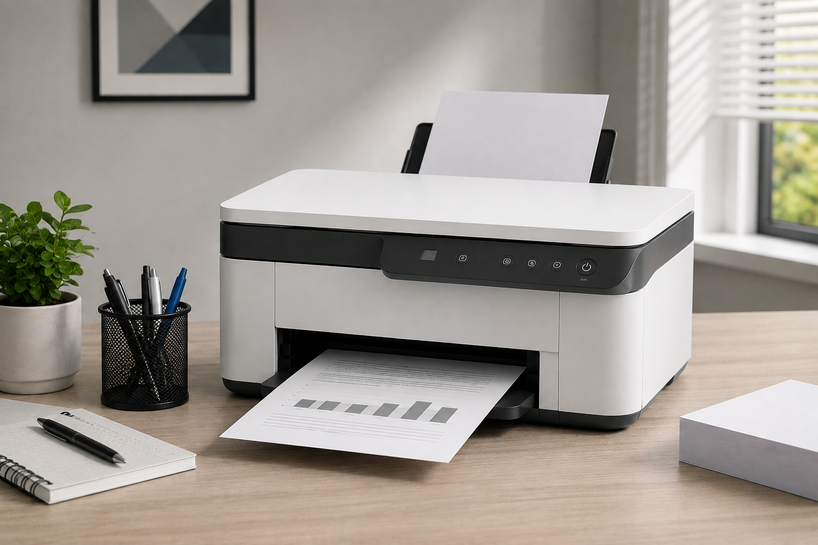
Why do two printers with similar prices cost very different amounts after a year? The answer sits inside cartridges, page yield, paper handling, maintenance parts, and workload limits. A low purchase price can look attractive, then costly ink turns it into the dearer choice.
A printer must fit daily work. A home model may serve schoolwork, photos, forms, and scanning. An office printer may receive jobs from many users.
A business printer may need secure release, extra trays, fast scanning, and dependable supplies.
What is a Printer?
A printer is an output device that turns digital information into marks on physical media. InkJet printers place tiny drops of liquid ink on paper.
Laser printers fuse dry toner onto a page with heat. Thermal units use heat-sensitive media or transfer material from a ribbon. Dot matrix printers strike an inked ribbon with pins.
Modern printers also receive network files, scan to email or folders, store jobs, accept mobile commands, and control access through accounts or PIN codes. A shared printer forms part of the company network.
Ink, toner, drums, fusers, ribbons, printheads, labels, and thermal rolls affect output and long-term cost. Check supply compatibility, availability, and replaceable maintenance parts.
How to Choose the Right Printer
Begin with a workload audit. Estimate pages per day and month, then separate black text, colour documents, photos, labels, envelopes, and multipart forms.
Count users and note busy periods. A household printing forty pages monthly needs different hardware from an accounts department printing thousands.
Next, match the printing method to the media. Choose laser for frequent text, inkjet for rich colour and photos, direct thermal for short-life shipping labels, thermal transfer for durable labels, and dot matrix for forms that need several copies at once.
Now calculate cost per page. Divide the supply price by its stated page yield. A £90 toner rated for 3,000 pages costs 3 pence per page before paper, drums, power, and service.
Calculate black and colour separately. Page-yield tests support comparison, but graphics, cleaning cycles, and light use can change actual yield.
For comparison, use the same yield standard for both models, include every colour cartridge, and check the price of drums or printheads. A low cartridge price means little when the cartridge prints fewer pages or the machine needs frequent cleaning cycles.
Finish by checking integration. Confirm operating-system support, drivers, USB or Ethernet ports, Wi-Fi bands, mobile-print standards, encryption, and firmware support.
Shared office printers may also need user controls, secure job release, scan destinations, and extra trays.
Types of Printers
Printer types differ by marking method and design. Choose according to the media, required life, and job rate.
All-in-One Printers
All-in-one printers combine printing, scanning, copying, and sometimes faxing in one machine. They suit home offices, remote workers, reception desks, and small businesses with limited space. Look for an automatic document feeder if you scan multipage files. A duplex feeder scans both sides without manual turning.
Check scanning speed, feeder capacity, service options, and printing performance.
Barcode Printers
A barcode printer creates sharp one-dimensional and two-dimensional codes for scanning. Most use direct thermal or thermal transfer methods. Direct thermal darkens treated media with heat and suits short-use tags. Thermal transfer melts material from a ribbon onto the label, producing a tougher image for assets, shelves, laboratories, and warehouses.
Check print width, resolution, roll size, cutter options, software support, barcode contrast, and label material.
Dot Matrix Printers
Dot matrix printers use pins to strike an inked ribbon against paper. This impact action marks multipart carbonless forms, which inkjet and laser machines cannot do. Tractor feeds also handle continuous paper.
They serve repair shops, warehouses, factories, finance counters, and logistics sites. They offer low ribbon costs but print noisily and produce basic graphics.
InkJet Printers
InkJet printers spray microscopic droplets through printhead nozzles. They can produce smooth colour, detailed graphics, and strong photos on suitable paper. Cartridge models cost less upfront, while refillable tank models can lower ink cost for regular users.
Idle periods can block nozzles, while cleaning cycles consume ink. Check paper weights, colour controls, ink type, and replacement cost.
Label Printers
A label printer uses adhesive roll stock rather than office paper trays. It can print shipping labels, product tags, shelf labels, addresses, wristbands, and asset tags quickly. Direct thermal models need no ink or toner, but their labels can fade after heat, sunlight, or long storage.
Match label width, roll size, adhesive, expected life, and software support.
Laser Printers
Laser printers form an electrostatic image on a drum, attract toner to it, and fuse the toner onto paper with heat. They produce crisp text, fast output, and dependable results for repeated office jobs. Toner does not dry during idle periods.
Monochrome models suit reports, invoices, and school documents. Colour laser models handle charts and business graphics, though photos may look less natural than inkjet output. Compare toner yield, drum life, fuser cost, warm-up time, and first-page speed.
Wireless vs Wired Printers
A wireless printer offers flexible placement and access for laptops, phones, and tablets. Check whether it supports 2.4GHz, 5GHz, or both.
Wi-Fi Direct can connect a device to a printer without sending the job through the main wireless network. Apple AirPrint and Mopria support mobile printing on compatible devices.
Wireless access depends on signal quality, router health, settings, and security. Walls, distance, crowded channels, and password changes can interrupt it. Protect the printer with current firmware, a changed administrator password, suitable encryption, and disabled services you do not use.
Ethernet gives a shared office printer a stable physical network link. USB gives one computer a direct connection. Neither choice stops mobile printing.
A printer connected to the router by Ethernet can receive jobs from phones and laptops on the same local network when the devices and printer support the same printing standard.
Choose wireless for flexible placement. Choose Ethernet for busy workgroups. Many offices wire the printer while users send jobs through Wi-Fi.
Key Factors to Consider Before Purchasing
Resolution matters, but higher numbers do not guarantee better output. Around 600 by 600 DPI suits office text. Photos may need higher resolution, suitable ink, and correct paper.
Pages per minute measures sustained speed. First-page-out time shows how quickly the first sheet appears. Slow waking and warm-up can delay short jobs.
Do not confuse maximum duty cycle with recommended monthly volume. Maximum duty cycle marks an upper design limit, not a comfortable monthly target. Choose a printer whose recommended range covers normal work with room for busy periods.
Estimate three-year ownership cost using purchase price, supplies, drums, fusers, maintenance kits, paper, power, and service. Compare standard and high-yield supplies. Starter cartridges may contain less toner or ink than normal replacements.
Review tray capacity, duplexing, bypass feeding, envelopes, paper sizes, and media weight in GSM. Small trays create frequent refilling.
Confirm system and software support. Check firmware updates, replaceable parts, extra trays, memory, and supply codes. Reject models that cannot join your network or accept your media.
For more help matching machines with supplies, read our Comprehensive Guide 2026 to Buying Printers & Cartridges. It covers cartridge compatibility, page yield, smart chips, bulk purchasing, and supply planning.
Conclusion
The best printer matches your workload. Count monthly pages, identify each media type, choose the printing method, calculate three-year cost, and confirm connectivity and security.
Server Blink supplies printers, cartridges, trays, fusers, maintenance parts, and related hardware for home, office, and enterprise settings.
A buyer can compare supplies, request business pricing, and get help choosing hardware for their systems and volume. Select the machine and supply plan together.
Frequently Asked Questions
A: Yes, if you print text regularly, need fast output, or leave the printer unused for weeks. Toner does not dry like liquid ink. A photo-focused household may prefer inkjet.
A: Weak signals, router outages, changed passwords, interference, and poor security settings can disrupt wireless printing. Guest or restricted networks can complicate setup.
A: Compare monthly volume, first-page time, duplexing, trays, supply yield, cost per page, parts, warranty, system support, network options, and size.
A: A laser office printer suits most text-heavy workgroups. Retail, shipping, manufacturing, and healthcare operations may need barcode, label, thermal, or dot matrix hardware for special media.
A: A strong colour inkjet all-in-one can handle both, but it may not match a monochrome laser’s text speed or a dedicated photo printer’s colour control. Decide which output matters more.
A: Yes. Server Blink lists printers, cartridges, paper trays, fusers, maintenance kits, and related parts for different workloads. Confirm model compatibility, stock, pricing, and support before ordering.


