

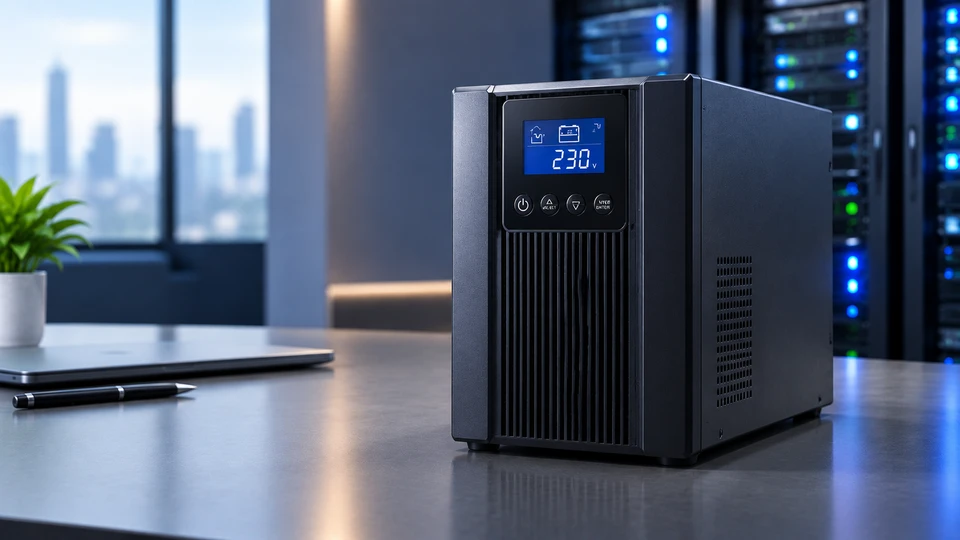
A brief power interruption can be more than an inconvenience in a business. One unexpected outage may shut down a workplace disconnect a network switch, interrupt a server process or leave employees waiting for systems to restart.
A UPS or Uninterruptible Power Supply, helps bridge that gap. Depending on the model it can provide battery backup, voltage regulation, power conditioning and monitoring. For IT and procurement teams buying a Computer UPS is not simply about choosing a higher VA rating. Connected load, runtime, topology, installation space, maintenance and future expansion all need to match the environment.
What is an uninterruptible power supply?
An Uninterruptible Power Supply provides connected equipment with stored battery power when utility power fails or moves outside its supported range. Depending on the design a UPS may also regulate voltage and condition power.
For a UPS for Computer or UPS for PC setup the immediate benefit is continuity during short interruptions. It can give users time to save work and shut down safely. The same principle applies to networking equipment, servers, storage and other critical IT systems. Runtime varies according to UPS capacity, connected load, battery condition and configuration.
Main Components of a UPS System
A UPS System combines some components that work together
- Battery: Stores energy for use when utility power is unavailable
- Rectifier/Charger: Converts incoming AC to DC and manages battery charging
- Inverter: Converts DC back into AC for connected equipment
- Bypass Circuit: Provides an alternate power path during supported overload, fault or maintenance conditions
- Static Switch: Transfers the load between supported inverter and bypass paths
- Control System: Monitors load, battery status, alarms and working conditions
- Cooling System: Removes heat produced by power electronics and depending on the design of batteries
The exact architecture varies between UPS types and models.
Importance of UPS Systems in Business Environments
Businesses use UPS systems to reduce disruption from short interruptions and certain power disturbances. An office UPS may keep computers and communications equipment running long enough for a controlled shutdown. An Enterprise UPS Solution may support selected servers, switches, storage systems or other critical loads while another backup source starts.
The impact can increase when shared infrastructure is involved. One server may host some virtual machines while one network switch may connect many users. An outage can reduce productivity, interrupt services, create recovery work and add financial costs
A UPS is one part of a broader power continuity strategy. It does not replace a generator, redundant power paths or disaster recovery planning.
Types of UPS Systems for Enterprises
Standby UPS
A Standby UPS normally passes utility power to the connected load and switches to battery when a failure is detected. It is usually used for desktop computers, point of sale equipment and less critical office loads. Protection features vary by model.
Line Interactive UPS
A Line Interactive UPS provides battery backup and can regulate certain voltage fluctuations. Depending on the model automatic voltage regulation can correct some sags or surges without switching to battery for every variation. It can suit office workplaces, network closets and smaller IT environments.
Online UPS
An Online UPS typically uses double conversion technology. Incoming AC is converted to DC and then back to AC through the inverter which continuously supplies the load during the normal process. This provides conditioned output and generally avoids the conventional transfer interval found in standby and line interactive designs. It is usually considered for servers, data centers and other loads with tighter power quality requirements.
UPS Comparison Table
|
UPS Type |
Power Protection Level |
Best For |
Key Benefit |
|
Standby UPS |
Basic backup |
PCs and office equipment |
Simple battery support |
|
Line Interactive UPS |
Backup plus voltage regulation |
Workplaces and network equipment |
Handles certain voltage variations |
|
Online UPS |
Continuous power conditioning |
Servers and critical IT infrastructure |
Regulated inverter output |
Applications of UPS in Enterprise Infrastructure
A Data Center UPS can support servers, storage, networking and other critical loads. Larger facilities may use parallel or modular arrangements for extra capacity or redundancy depending on the architecture.
In server rooms a Server UPS can keep racks powered through short interruptions and support controlled shutdowns. Enterprise offices may use UPS systems for computers, communications equipment and network infrastructure. An Industrial UPS can support controls or instrumentation when its electrical and environmental requirements match the site.
For businesses reviewing internal PC power alongside backup planning the PC Power Supply Buyer’s Guide 2026: Top Tips and Recommendations provides related guidance on selecting a suitable computer power supply.
Key Factors to Consider When Choosing a UPS
UPS Wattage and UPS Load Capacity List the actual wattage of the equipment and compare it with both the UPS watt and VA ratings. Schneider Electric recommends selecting a UPS with watt capacity 20-30% above the connected load to provide working headroom.
Runtime requirements Decide whether the UPS Battery Backup only needs to allow a safe shutdown or must run equipment until a generator or another backup source is available. Supported external battery modules can extend runtime.
Scalability Consider servers, storage, networking equipment or workplaces that may be added later.
Energy efficiency Compare efficiency at the working mode and load level relevant to the installation because performance varies by platform.
Environmental conditions Temperature, airflow, humidity, dust and placement can affect UPS and battery performance.
Monitoring and control Look for event logs, alarms, battery information, network management and remote monitoring where appropriate.
Rack Mount UPS vs tower systems Rack units fit IT racks while tower models are standalone. Check rack height, weight, ventilation, cabling and service clearance.
Modular UPS System advantages Modular designs can simplify capacity expansion and redundancy in suitable placements. Module replacement and hot swapping depend on the specific platform.
Common Mistakes When Buying a UPS System
Choosing a UPS by price or VA rating alone can result in an unsuitable setup. Assess actual watt load, required runtime, topology, installation conditions and expected growth together.
Other mistakes include overlooking service and lifecycle costs, ignoring battery replacement and assuming one large UPS automatically provides redundancy. Critical infrastructure may require dual power paths parallel UPS units or another purpose designed architecture.
Warranty terms, battery availability, technical support, monitoring and service response should be part of procurement from the beginning.
UPS Maintenance Best Practices
Regular maintenance should cover battery condition, alarms, load levels, connections, ventilation and working temperature. APC states that most of its VRLA UPS batteries should last about three to five years although temperature, discharge frequency and working conditions can affect service life.
Keep ventilation paths clear and follow the manufacturer’s inspection and testing procedures. Larger sites can schedule preventive maintenance and battery testing while using remote monitoring to identify abnormal conditions earlier.
Future Trends in UPS Technology
Current UPS development is increasingly focused on connectivity, serviceability and energy management. Remote monitoring and cloud based management can give IT and facilities teams visibility into load, battery condition, alarms and system events.
AI supported predictive maintenance is also entering enterprise UPS services. On June 30 2026 Schneider Electric announced the expansion of its EcoCare service to three phase UPS systems combining 24/7 remote monitoring with AI powered condition based maintenance.
Battery options are evolving as well. On August 10 2026 Schneider Electric announced a next generation APC Smart UPS platform designed to work with either VRLA or lithium-ion batteries with availability initially announced for selected models and regions.
Modular expansion, remote diagnostics and well organized working modes are also relevant as businesses add more IT setup.
Conclusion
A Computer UPS should be sized around the equipment it protects and the continuity requirement it supports. Start with total load UPS wattage, VA capacity and runtime then review topology, power quality, environment, monitoring, battery strategy, redundancy and future expansion.
A basic UPS for PC may suit an office workplace while servers, data centers and critical infrastructure may call for an Online UPS or a scalable Enterprise UPS Solution. The configuration should match the workload and working conditions.
Long term planning also matters maintenance, battery replacement, warranty coverage, technical support and future growth should be considered before procurement.
Frequently Asked Questions
A: A UPS provides temporary battery power during an outage and can help protect connected equipment from certain power disturbances; it can also provide time for controlled shutdowns and reduce disruption to critical systems.
A: Runtime depends on UPS capacity, connected load, battery condition and configuration. A lightly loaded UPS mostly provides longer runtime than the same unit under a heavier load.
A: Yes. provided the combined load stays within the UPS’s supported watt and VA ratings so leave appropriate capacity headroom for normal changes and future additions.
A: Yes. Battery life varies by chemistry, temperature, usage and working conditions. Outdated VRLA batteries commonly last around three to five years although actual service life varies.
A: A Data Center UPS provides battery backup and depending on topology, conditioned power to critical equipment during an outage or qualifying power event. Data centers may also use redundancy and bypass arrangements as part of the wider power architecture.
A: There is no single UPS type for every business. Standby, Line Interactive and Online UPS systems have different characteristics so selection should reflect workload, power environment, runtime and continuity requirements.
A: Current developments include remote monitoring AI supported predictive maintenance, lithium-ion battery options, modular expansion, remote diagnostics, cloud management and more efficient working modes availability varies by manufacturer and model.
A: A Rack Mount UPS is designed to fit in an IT rack and provide backup power for rack mounted equipment such as servers, network devices and storage systems.


