

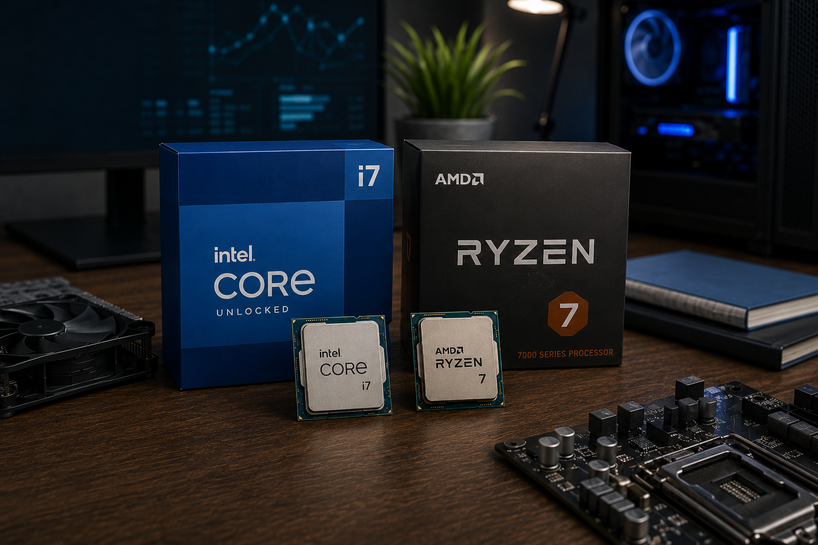
To choose the right desktop processor in 2026, match core count, clock speed, and cache to the work you actually do, then check that the socket leaves room for a future upgrade.
Gamers gain most from fast cores and a big cache. Editors and 3D artists gain most from core count. Office users need far less of both.
That one choice shapes how your PC feels every day. A good CPU keeps twenty browser tabs, a video call, and a background render moving at once.
A weak one turns simple work into waiting. Plenty of buyers also pay flagship money for tasks a mid-range chip handles without effort.
What Is a Desktop Processor?
A desktop processor is the chip that carries out the instructions behind every action on your PC. It sits in a socket on the motherboard under a cooler, and everything else in the machine reports back to it.
Its job is calculation and coordination. When you click a file, type a line of code or load a game level, software hands the CPU a list of instructions.
The processor runs them in order, does the maths, and sends results to memory, storage or the graphics card. It also acts as a traffic controller, deciding which program gets attention first and when data moves between RAM and storage.
That's why a slow processor makes a strong PC feel sluggish. Your graphics card can be brilliant, but if the CPU can't feed it fast enough, frame rates drop anyway.
How Does a Desktop CPU Work?
A desktop CPU works through a repeating four-step cycle: fetch, decode, execute, and store.
-
Fetch
It pulls the next instruction from memory, using a pointer that tracks where it left off.
-
Decode
The control unit reads that instruction and works out what's being asked and which data it needs.
-
Execute
The arithmetic logic unit runs the operation, adding numbers, comparing values, or moving data.
-
Store
The result goes back into a register, into cache, or out to system memory, and the cycle restarts.
Speed does the rest. A chip running at 5 GHz goes through five billion cycles per second, and modern designs handle several instructions per cycle on every core. Stack eight or sixteen cores on that and one processor works through billions of steps while you scroll a page.
Key Components of a Desktop CPU
-
Control unit
The manager. It reads instructions, tells the other parts what to do, and keeps the order correct.
-
Arithmetic logic unit (ALU)
The calculator. It handles addition, comparisons and logic, with floating point units beside it for the decimal maths games and 3D work rely on.
-
Registers
Tiny slots inside the core holding data the chip needs this instant, and the fastest memory in your computer.
-
Cache memory
Quick memory built into the CPU, split into L1, L2 and L3. L1 is smallest and fastest, L3 is largest and shared. Cache saves the cores from waiting on slower system RAM.
-
Cores and threads
Each core works on its own, so a six-core chip runs six jobs at once. Threads split a core into two work queues, helping apps that juggle many small tasks.
-
Memory controller and NPU
The controller talks straight to your DDR5 RAM. Newer chips also carry a neural processing unit for on-device AI features.
Desktop CPU Types
-
Entry level
Four to six cores for browsing, office work, streaming and light photo edits. Ryzen 5 and Core Ultra 5 parts sit here.
-
Mainstream and gaming
Six to eight strong cores with high clocks. AMD's X3D chips, like the Ryzen 7 9800X3D and newer 9850X3D, stack extra cache under the cores and lead most gaming charts. Intel's Core Ultra 200S line answers with a hybrid layout of performance and efficiency cores.
-
High performance
Twelve to twenty-four cores for editing, rendering, compiling and streaming while gaming. The Ryzen 9 9950X and Core Ultra 9 285K sit here, along with the refreshed Core Ultra 7 270K Plus, a favourite for multi-threaded rendering.
-
Workstation grade
Threadripper PRO and Xeon W parts run dozens of cores, more memory channels and far more PCIe lanes, built for simulation, heavy 3D and studio pipelines rather than gaming. Match the group to the workload, because a gamer buying a 64-core workstation chip pays for cores that sit idle.
Desktop Processor Specifications Explained
|
Specification |
Impact on Performance |
|
Clock Speed |
Measured in GHz, it sets how many cycles each core completes per second. Higher clock speed improves single-threaded work like most games, spreadsheets, and older software. |
|
Core Count |
More cores mean more jobs running side by side. Rendering, video export, code compiling, and virtual machines scale directly with core count. |
|
Thread Count |
Threads let one core handle two instruction queues, smoothing background tasks and helping heavily threaded apps get more from each core. |
|
Cache Memory |
Larger L3 cache keeps reused data close to the cores. It lifts frame rates in games and shortens waits in data-heavy work. |
Socket and chipset matter alongside these numbers. AMD's AM5 platform and Intel's LGA 1851 use different boards, and a processor only fits the socket it was built for.
How to Choose the Right Desktop Processor
Start with what you do most. Write down the three programs you open every day and the one heavy task that makes you wait. That list tells you more than any benchmark chart.
Look at how your software behaves. Games and design tools reward high clocks and cache. Blender, Premiere Pro, code compilers and virtual machines reward core count. AI tools on Windows also tap the NPU, so newer chips help there.
Balance price against the rest of the build. A top-end CPU paired with slow RAM, a weak cooler and a modest graphics card gives you less real speed than a mid-range chip in a balanced system.
Think about the next upgrade. AM5 boards have carried several processor generations, so you can drop in a faster chip later without buying a new motherboard. Check cooler support and power draw too, because a 250W chip needs real cooling. Buy for the next three to four years, not for this weekend.
For a wider look at sockets, chipsets, cooling and how laptop and desktop chips compare, read our Buying Guide: How to Pick the Right Processor (CPU) in 2026. It ties everything here together with the rest of the platform decisions you'll face while building or upgrading a PC.
Advantages of Choosing the Right Desktop Processor
Programs open quickly, large files save without a spinning cursor, and heavy jobs finish in minutes instead of an hour. Multitasking gets easier too, since a background export won't freeze your browser or drop your call.
Power draw stays sensible. A chip sized to your workload runs cooler, keeps fan noise down, and asks less of the power supply over years of use.
You also get more from the money you spend, because the right tier means no wasted cores and no forced upgrade a year later.
The Future of Desktop Processors
AI is moving onto the chip. NPUs are becoming standard on desktop CPU processors, so noise removal, live captions, and image tools run locally instead of in the cloud.
Power use is now a headline number too, with AMD and Intel chasing more performance per watt rather than higher wattage.
Chiplet design keeps spreading. Instead of one large piece of silicon, makers bond several smaller dies together, which improves yields and lets them mix parts built on different processes.
Hybrid core layouts are here to stay, with Intel splitting work between performance and efficiency cores and AMD using compact core variants in some parts.
Core counts keep climbing. Zen 6 is expected to move to 12-core chiplets, opening the door to 24-core mainstream Ryzen parts, while Intel's Nova Lake designs point to much higher core totals paired with very large cache pools.
Both families are now expected around CES 2027. Memory support improves as DDR5 speeds rise, and manufacturing keeps shrinking toward 2nm class nodes, packing more transistors into the same space.
Conclusion
Choosing a desktop processor comes down to a few honest answers. Know your workload, read the specs that affect it, and stop paying for numbers you'll never use.
Clock speed and cache carry gaming. Cores and threads carry creation and heavy multitasking. Socket and chipset decide how long the platform lasts.
Budget for the full build, not the CPU alone, and you'll own a PC that still feels fast three years from now.
Frequently Asked Questions
A: List the programs you use daily and the tasks that make you wait. If that task is gaming, pick a chip with high clocks and a large cache. If it's rendering or compiling, pick more cores. Then confirm the socket matches your motherboard.
A: Check five things: your main workload, core and thread count, clock speed, socket and chipset support, and cooling plus power needs. Confirm memory type too, since current desktop platforms run DDR5.
A: Games lean on a few fast cores and a big cache more than on high core counts. Six to eight strong cores handle nearly every current title, and chips with stacked cache, such as AMD's X3D range, post the highest frame rates in CPU-limited games at 1080p.
A: Core count, thread count, clock speed, and L3 cache tell most of the story. After those, check TDP for cooling, the socket for compatibility, PCIe version for your graphics card and storage, and supported memory speed.
A: Entry-level chips carry four to six cores, lower clocks and smaller cache, which suits browsing, office work and light editing. High-performance parts add cores, higher boost clocks and far more cache, so they cut render times sharply and cope better with several heavy programs at once.
A: Cache stores data the cores are about to reuse. When that data sits in cache, the core acts on it right away instead of waiting on system RAM, which answers far more slowly. Bigger cache raises frame rates and shortens delays in data-heavy work, which is why cache-stacked chips beat rivals with higher clock speeds.
A: Upgrade when the CPU, not the graphics card or storage, holds you back. Watch for high processor usage during normal work, stutter in games while the GPU sits underused, and software asking for more cores than you have. If your motherboard still supports newer chips, a processor swap costs far less than a full rebuild.


