

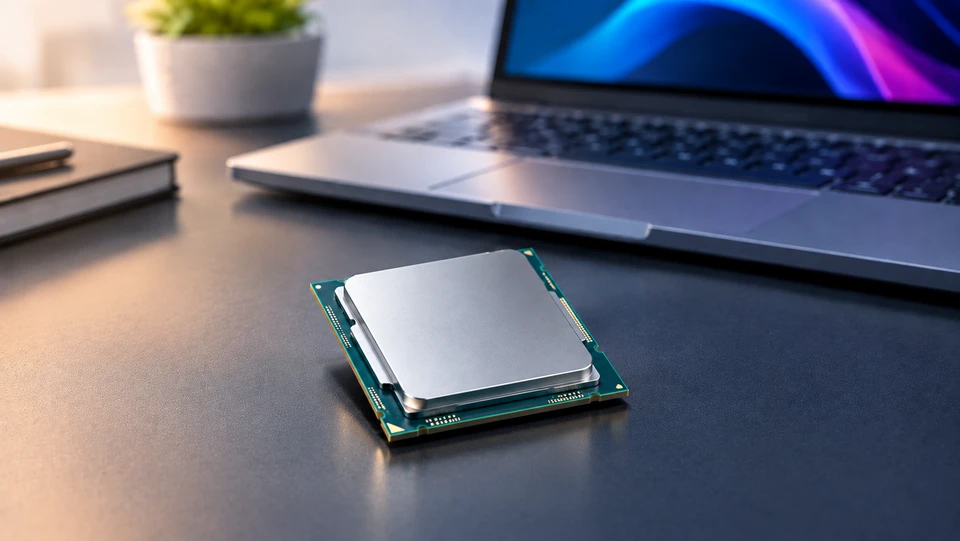
The laptop processor is the one part you can't swap out later, so it's the spec worth getting right on day one. You can add RAM to many machines. You can replace a drive. The CPU stays soldered where it is for the life of the laptop. That single fact should shape how you shop.
A laptop processor decides how fast apps open, how many browser tabs you can keep alive, how smoothly a video export runs, and how many hours you get away from a wall socket. Two laptops can carry the same price tag and feel completely different because of the chip inside.
What counts as the right processor changes from person to person. A student writing papers and watching lectures needs something very different from an editor cutting 4K footage or a gamer chasing frame rates.
Why the Laptop Processor Matters Before You Buy
The laptop processor sets the ceiling for everything else in the machine. Fast RAM and a quick SSD help, but they can't rescue a chip that's out of headroom. When a laptop stutters while you switch between a video call and a spreadsheet, the CPU is usually the part running out of room.
Responsiveness comes down to how quickly the chip handles short bursts of work. Clicking a link, waking from sleep, saving a large file- all of it leans on single-core speed and cache.
In one 2026 test, a Panther Lake machine opened Word in roughly half a second while an older Arm laptop took about two seconds for the same action. Small gaps like that repeat hundreds of times a day.
Long-term usability matters just as much. Software gets heavier every year. Video calls now run background noise removal, browsers handle more scripts, and Windows leans on the chip's neural engine for local AI features.
A CPU picked with a little extra headroom in 2026 stays comfortable in 2029. A borderline one starts feeling slow within a year.
Key Laptop Processor Features to Consider
Laptop CPUs get sold on one big number, usually the top clock speed. Real performance comes from several features working together, and a weak link in any of them drags the rest down. Here's what each one does for you.
|
Factor |
Why It Matters |
|
Core Count |
Sets how many separate jobs the chip runs at once. More cores help with editing, rendering, compiling, and heavy multitasking. |
|
Thread Count |
Shows how many work streams each core can juggle. Higher thread counts smooth out background tasks while you keep working. |
|
Clock Speed |
Drives how fast a single task finishes. It shapes app launches, browsing, and general snappiness. |
|
Cache Memory |
Acts as the chip's own high-speed scratchpad. Bigger cache cuts waiting time and lifts gaming frame rates. |
|
Power Efficiency |
Decides battery hours, fan noise, and how long the chip holds peak speed before heat pulls it back. |
Core Count
Cores are the separate work units inside the chip. Modern laptop processors mix two types: big performance cores for demanding jobs and smaller efficiency cores that handle background work while sipping power. I
ntel's Core Ultra Series 3 lineup, launched at CES 2026, runs from 8 cores up to 16. AMD's Ryzen AI 9 HX 475 carries 12. Qualcomm's Snapdragon X2 Elite tops out at 18.
Six to eight cores handle browsing, documents, and video calls without complaint. Twelve or more pays off when you render video, run virtual machines, or compile code. Buying 16 cores for email work just adds cost.
Thread Count
Threads are the work lanes each core can manage. AMD's approach gives most cores two threads, so the Ryzen 9 9955HX3D handles 32 threads across 16 cores. Intel takes a different route on its newer mobile chips and runs one thread per core, leaning on core count instead.
Multi-core laptop processors with high thread counts shine when dozens of small jobs pile up at once, like a Teams call running while Chrome, Slack, Excel, and a backup sync all fight for attention. For single tasks, threads matter less than clock speed.
Clock Speed
Clock speed, measured in GHz, tells you how many cycles a core runs per second. Higher numbers finish individual tasks faster.
The Snapdragon X2 Elite Extreme hits 5.0GHz, and gaming chips like the Core Ultra 9 275HX reach 5.4GHz on their fastest cores.
The catch is that boost clocks only hold for short bursts. A thin laptop can't cool a chip long enough to stay at its peak, so a 5.2GHz rating in a slim chassis behaves nothing like the same number in a thick gaming machine. Compare chips in the same body type, never on the spec sheet alone.
Cache Memory
Cache is fast memory sitting right on the chip. When a core needs data, it checks cache first, and a hit there saves a slow trip to system RAM. Games love cache because they constantly pull small pieces of world data.
The clearest proof is AMD's 3D V-Cache. The Ryzen 9 9955HX3D stacks extra cache on top of its cores for 128MB of L3 total, and that alone puts it ahead of Intel's HX chips in many modern titles while drawing slightly less power. Same core count, same clock range, different cache, measurably better gaming.
Power Efficiency
Efficiency is about work done per watt. It controls battery life, surface heat, and fan noise, and it also protects performance, because a cooler chip holds its speed longer.
The 2026 gaps are wide. Intel committed to a 20-hour floor across its Core Ultra 300 lineup, Snapdragon X2 laptops land around 15 to 18 hours in testing, and Ryzen AI 400 machines trail closer to 11 hours. If you work on trains or in cafes, efficiency beats raw speed every time.
Understanding Laptop Processor Performance
Performance is the sum of cores, clocks, cache, memory bandwidth, and cooling. Change any one of those and the finished result moves. This is why two laptops with the identical CPU name can post different scores.
Power limits explain most of the gap. The same chip can be configured anywhere from 55W to 160W depending on the laptop's cooling, and that range changes sustained performance dramatically.
Manufacturers rarely print the configured wattage on the box, so reviews of the exact model you plan to buy are the only reliable guide.
Workload type matters too. Benchmarks that open small documents reward high clocks and big caches. Video exports and 3D renders reward core and thread count. A chip can top one chart and sit mid-table on the next.
In August 2026, one report showed a Snapdragon X2 part running up to 87% faster than rivals, and that number came from a narrow set of tests rather than everyday use. Read what was measured before you trust any headline figure.
How Laptop Processors Impact Everyday Computing
Most of what you notice daily is single-core work. Loading a page, opening a PDF, switching apps, waking the screen. A chip with strong single-core speed feels quick even with modest core counts, which is why some 2024 laptops still feel fine in 2026.
Multitasking is where core and thread count show up. Twenty tabs, a spreadsheet recalculating, Spotify playing, and an antivirus scan in the background will expose a 4-core chip fast. Eight or more cores keep that mix smooth.
For gaming laptop processor choices, cache and clock speed lead, and the graphics card takes over from there. The CPU's job is feeding the GPU frames fast enough, so a cache-heavy chip pairs well with a strong GPU.
Creative work flips the priority. Premiere exports, Blender renders, and Lightroom batch edits scale with cores and threads, and they also need sustained power, which means cooling matters as much as the chip. Streaming sits in the middle, leaning on the chip's hardware encoder rather than brute force.
Common Laptop Processor Buying Mistakes
Chasing one number is the most expensive mistake. Buyers see 5.2GHz, assume it beats 4.8GHz, and skip the fact that the faster-rated chip sits in a thinner laptop that can't hold the speed past thirty seconds.
Ignoring generation is close behind. A current mid-tier chip regularly beats a two-generation-old flagship while using less power. Names hide this well, since brand tiers stay the same year to year even as the silicon changes completely.
Overbuying is just as common as underbuying. A 16-core workstation chip in a machine used for documents means shorter battery life, louder fans, and money spent on cores that stay idle.
The reverse hurts more, though. People buy 4-core budget chips for daily work and regret it within a year.
Two more worth checking. Laptops with the same chip name can differ because of configured power limits, so always read a review of your exact model.
And in 2026, previous-generation platforms like Core Ultra 200V and Ryzen AI 300 are discounted while newer chips carry a premium, which makes last-gen a smart buy for plenty of people.
Why Laptop Processor Features Matter
Once you know what each feature does, spec sheets stop being noise. You can look at two laptops at the same price and work out which one suits your workload instead of guessing from the model number.
Feature awareness also protects your budget in both directions. It stops you paying for cores you'll never wake up, and it stops you saving a small amount on a chip that will frustrate you for years. Since the CPU can't be upgraded, that call carries more weight than almost any other choice on the spec list.
The habit pays off later too. You'll spot when a discounted last-gen laptop is the better deal, and you'll know when a new generation genuinely earns its price.
If you want the wider view, including how processor families compare across brands, desktop and laptop differences, and how to match a chip to a budget, our Buying Guide: How to Pick the Right Processor (CPU) in 2026 covers the full decision from start to finish. This page focuses on laptops specifically, so read the two together for the complete picture.
Conclusion
Five features tell you most of what you need to know about any laptop processor: core count, thread count, clock speed, cache memory, and power efficiency.
None of them works alone. Cores without cooling throttle. Clock speed without cache stalls. Cache without efficiency drains your battery.
The strongest approach is to start with your actual work, then read a review of the exact laptop model you're considering rather than trusting the chip name.
Decide how much of your time is single-task versus heavy multitasking, how often you work unplugged, and how long you want the machine to last.
Judge laptop CPUs on the balance of all five features, match that balance to your workload, and check real test results before you pay. That's how you buy a processor in 2026 that still feels right in 2029.
Frequently Asked Questions
A: Start with your workload, then check five things: core count, thread count, clock speed, cache size, and power efficiency. Also check the chip generation and read a review of the exact laptop model, since the same processor performs differently depending on how much power and cooling the laptop gives it.
A: Core count, thread count, clock speed, cache memory, and power efficiency. Core and thread count handle multitasking and creative work. Clock speed and cache control day to day snappiness and gaming. Power efficiency sets battery life and how long the chip holds peak speed.
A: Yes, but only alongside cooling. Clock speed drives how fast a single task finishes, so it shapes app launches and browsing. Boost clocks are short bursts, though, and a thin laptop can't sustain them. A 5.2GHz chip in a slim body can be slower in longer jobs than a 4.8GHz chip with better cooling.
A: Efficiency decides battery hours, heat, and fan noise, and it protects performance because cooler chips hold their speed longer. In 2026, Intel's Core Ultra 300 series carries a 20-hour battery commitment, Snapdragon X2 laptops reach 15 to 18 hours in tests, and Ryzen AI 400 machines sit nearer 11 hours.
A: Yes. A high-performance laptop processor with more cores and threads spreads work across more lanes, so background tasks like syncing, scanning, and video calls stop interrupting what you're doing. The jump from 4 cores to 8 makes the biggest difference for everyday multitasking.
A: Cores set how many jobs run at once. Six to eight cores cover browsing, documents, and video calls comfortably. Twelve or more helps with video editing, 3D rendering, virtual machines, and code compiling. Beyond that, extra cores mostly add cost, heat, and battery drain for general use.
A: Avoid judging chips on clock speed alone, ignoring the generation, and assuming the same chip name means the same performance across laptops. Also avoid buying far more cores than your work needs, and don't dismiss discounted previous generation chips, which frequently give better value than the newest release.


