

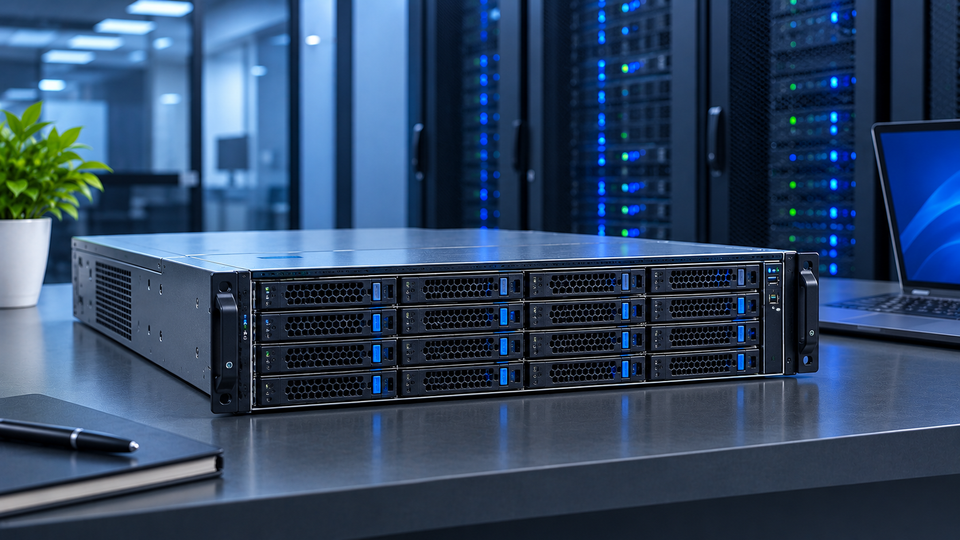
Put a computer server bought in 2019 next to one built this year and the outside looks almost identical. Same steel chassis, same rails, same blinking drive bays.
Open them up, and the distance between the two is enormous. Core counts have tripled, memory runs on more channels, storage talks straight to the CPU over NVMe, and a single box now handles what used to take a full rack.
Workloads pushed that change. Virtualization piled dozens of machines onto one host. Databases moved into memory. AI inference showed up in ordinary company applications, not just research labs.
Each of those puts pressure on a different part of the system, which is why picking hardware on processor speed alone leads to disappointing results.
What Makes a Server Modern?
A modern server system is built around parallel work. Current processors reach very high core counts, with AMD's EPYC 9005 family topping out at 192 cores in the EPYC 9965 and Intel's Xeon 6E "Sierra Forest" reaching 144 cores.
Memory sits on eight to twelve channels per socket, and PCIe 5.0 gives you roughly a hundred lanes or more for drives, network cards, and accelerators.
Three other traits separate a true server PC from a desktop with server software on it. First, it runs without stopping for years, with redundant power supplies and hot-swap drives so a failed part doesn't take the box down.
Second, it corrects its own memory errors through ECC. Third, it lets you change your mind later by adding RAM, drives, or cards without buying a new chassis.
Identify the Right Server for Your Environment
Business and Office Environments
Most offices need file shares, a directory service, email routing, backup, and one or two line-of-business applications. A single tower server with one socket, 128 GB to 256 GB of RAM, and mirrored NVMe drives covers that for a team of 50 to 150 people.
Tower servers win here because they sit under a desk or in a closet, run quietly, and don't need a rack or raised floor. If you already have a small rack, a short-depth 1U or 2U rack server does the same job in less floor space.
Data Center and High-Density Environments
Rack servers in 1U and 2U sizes are the standard unit inside a data center. They stack 42 to a rack, share cabling paths, and get serviced from the front.
Blade servers go further. They drop compute nodes into a shared chassis that pools power, cooling, and network fabric, which cuts cable count sharply. High-density servers push two or four independent nodes into a single 2U space for cloud hosting and web farms.
Density has a cost. Average rack power climbed to around 27 kW in 2026, up roughly 69% in a year, so your floor space calculation now depends on available power circuits and airflow more than on empty rack units.
Specialized Computing Environments
Virtualization hosts want cores and memory above everything else. Plan 8 GB to 16 GB of RAM per virtual machine and enough headroom to lose one host without freezing the cluster.
AI and HPC systems build around accelerators. A 4U GPU server holds four to eight cards, and every card needs a full PCIe 5.0 x16 path plus its own power budget. Data-heavy work such as analytics, media rendering, and large databases leans on memory bandwidth and NVMe throughput instead.
Explore Modern Server Hardware
Processors: Match the chip to the job. High-frequency parts with fewer cores suit databases, game servers, and anything licensed per core. Dense parts with many cores suit virtualization and container hosts.
Memory: Fill every channel. Eight sticks across eight channels beat four larger sticks every time, because half-populated channels cut bandwidth roughly in half. Registered DDR5 with ECC is the norm.
Storage: NVMe drives in U.2 or E3.S form factor handle databases and virtual machine images. SAS and SATA still make sense for backup targets and archives where cost per terabyte rules.
Networking: 10GbE is the floor. 25GbE has become the practical choice for new builds, with 100GbE on uplinks and storage fabric. AI clusters run 400GbE with RDMA.
Expansion and compatibility: Count your free PCIe slots, drive bays, and DIMM slots before ordering, not after. Check the vendor's tested memory and drive lists too, since a server board will reject or downclock parts it doesn't recognize.
Build a Balanced Server Configuration
Match Resources to the Workload
Balance beats brute force. A 64-core processor paired with 128 GB of RAM will starve under a virtualization load, and fast NVMe behind a single 1GbE port wastes most of its speed. Size CPU, memory, storage, and network together, then leave around 25% headroom on each.
Unused hardware costs money twice. You pay for it once at purchase and again every month in power and cooling.
Avoid Hardware Bottlenecks
Every server has one component holding it back. Find it before you spend. Memory pressure shows up as swapping and stalled applications. Storage limits show up as high disk queue depth and latency spikes while CPU sits idle. Network limits show up as steady throughput at the port's ceiling.
Fix the real constraint. Adding cores to a machine that's waiting on disk changes nothing.
Understand Server Performance
Server performance comes from four things working together: processing capacity, memory bandwidth, storage speed, and network throughput.
Processing capacity isn't one number. Clock speed drives single-thread response times, core count drives total throughput, and cache size drives how much data stays close to the CPU. Memory bandwidth decides how fast those cores get fed, which is why in-memory databases and AI inference care about channel count as much as core count.
Storage performance splits into IOPS for small random reads and writes, and throughput for large sequential transfers. Backup jobs need throughput. Transactional databases need IOPS and low latency.
Different work stresses different parts, so test with your own workload rather than trusting a benchmark score.
Design for Scalability
Scale Up
Scaling up means making one server bigger. Add DIMMs to the empty slots, populate the remaining drive bays, fit a second processor if the board supports it, or drop in PCIe cards for faster networking and extra NVMe.
This path is simple and keeps your software licensing count flat. It ends when the chassis runs out of slots.
Scale Out
Scaling out means adding more servers and spreading work across them. Web tiers, container platforms, object storage, and distributed databases all grow this way.
Horizontal growth makes sense when you need redundancy as well as capacity, since losing one node out of six hurts far less than losing your only box. It asks more of your network and your management tools, so plan switching capacity alongside the servers themselves.
Improve Server Efficiency and Reliability
Titanium-rated power supplies reach around 96% efficiency at half load, and the power you don't waste is heat you don't have to remove. Cooling accounts for a large share of facility energy, so every watt saved counts twice.
Air cooling struggles above roughly 30 kW to 40 kW per rack, which is why direct-to-chip liquid cooling has moved into mainstream GPU deployments. A standard 1U server still needs about 100 to 150 CFM of airflow and an inlet temperature in the 18°C to 27°C range.
ECC memory catches and corrects single-bit errors before they reach your data, and flags multi-bit errors instead of letting them corrupt a database quietly. RAID 10 protects virtual machine storage; RAID 6 protects bulk capacity. Redundant power supplies on separate circuits cover the rest.
Baseboard management controllers such as iDRAC, iLO, and XClarity give you console access, firmware updates, and temperature or power telemetry without walking to the rack.
Prepare Servers for Future Workloads
Buy for the load you expect in year three, not month one. Data volumes grow faster than teams predict, and new applications arrive without warning.
Leave DIMM slots open, drive bays empty, and at least one PCIe slot free. Check that your power and cooling can absorb a second processor or a GPU later. A configuration that fits today with zero room left will force a full replacement the moment anything changes.
Evaluate Server Cost and Long-Term Value
Hardware is the smaller half of the bill. A server drawing 800 W runs up serious electricity charges over five years, and cooling adds roughly 30% to 40% on top of that.
Count the upgrade path too. Memory bought later costs more per gigabyte than memory bought upfront, but overbuying ties up cash in capacity you may never touch. Add support contracts, spare parts, and the hours your team spends on maintenance.
Total cost of ownership across five years tells you far more than the purchase price. The cheaper machine that needs replacing in year three rarely wins.
Common Challenges When Deploying Modern Servers
Teams run into the same problems again and again. Underspecified memory on virtualization hosts. Chassis with no expansion room left.
Racks that hit their power circuit limit before they fill up. Memory or drives the board won't accept. Growth that outpaces the plan within a year. And the constant pull between raw speed and the power bill that comes with it.
Most of these trace back to sizing a server for the day it ships rather than the years it runs.
Modern Server Evaluation Checklist
Before you sign off on a configuration, run through these:
- Workload profile documented, with peak and average numbers
- CPU, memory, storage, and network sized together with headroom
- Performance targets tested against your own application
- Free DIMM slots, drive bays, and PCIe slots confirmed
- ECC memory, RAID level, and redundant power in place
- Power draw and airflow checked against your rack limits
- Five-year total cost calculated, not just purchase price
Server decisions rarely stand alone. Workstations, network gear, storage, and backup all shape what your server needs to do. Our PC & Servers Setup Guide 2026: From Home to Business Use walks through the full picture from a single home machine up to a business rack, and connects the hardware choices in this article to the rest of your setup.
Frequently Asked Questions
A: Heat shortens component life and forces processors to throttle, which costs you the performance you paid for. Power circuits also cap how many servers a rack can hold, so both limits shape your capacity planning.
A: A 2U or 4U rack server with dual sockets, full memory channels, NVMe storage, and PCIe 5.0 slots for GPUs. AI training and HPC clusters add high-speed fabric between nodes.
A: Measure your current CPU, RAM, disk, and network use over a few weeks of normal operation, then size for peak plus 25% to 30%. Guessing from application vendor minimums almost always leaves you short.
A: Yes, through virtualization or containers, as long as you size memory and storage for the combined load. Keep heavy database work separate from anything latency-sensitive.
A: Choose a platform with PCIe 5.0 and CXL support, DDR5 memory, and open slots. Firmware updates through the management controller keep the system compatible with newer drives and cards.
A: Tower servers stand alone and suit offices without a rack. Rack servers mount horizontally in 1U to 4U sizes and form the bulk of data center deployments. Blade servers share power, cooling, and networking across a chassis for the highest density.


