

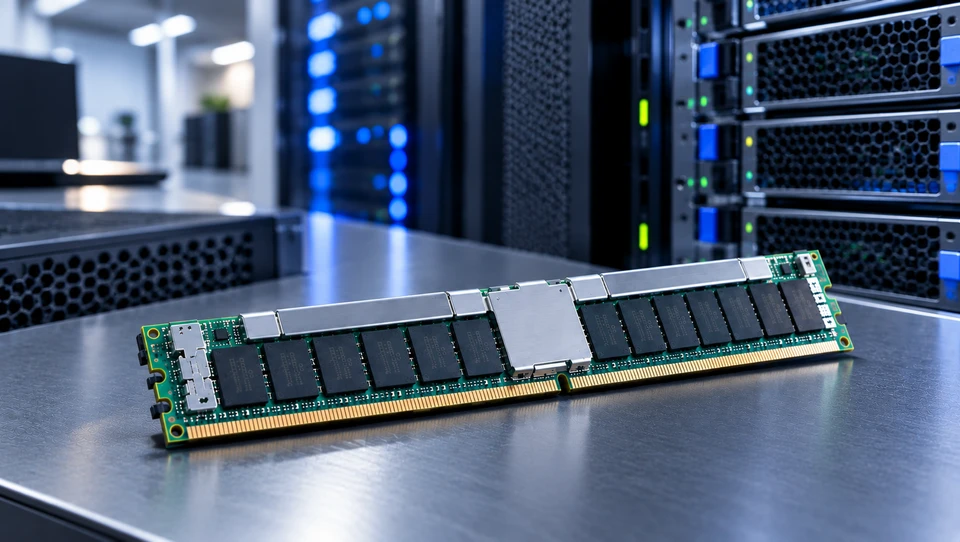
A server can have a powerful processor and fast storage, yet still struggle without enough Server Memory. Also called Server RAM, it provides a temporary workplace where working systems, applications, databases and virtual machines keep the data they are actively processing.
For businesses, memory is more than a specification on a server datasheet. Capacity, reliability, generation, speed, compatibility and future growth all affect how effectively a system handles production workloads. In 2026, procurement also requires more planning as AI infrastructure continues to increase demand across the memory market and supply remains tight.
This guide explains the purpose of server RAM, what it does, why current supply conditions matter and how to choose the right configuration.
What Is the Purpose of Server Memory?
The purpose of RAM (Random Access Memory) is to give the CPU fast access to data and instructions that active workloads need. Unlike an SSD or hard drive, RAM is temporary working memory rather than permanent storage.
When available RAM becomes insufficient, a server may rely more heavily on paging or swapping data to storage. Because storage is slower than working memory, this can increase latency and affect application responsiveness.
Server platforms also have different capacity and reliability requirements from consumer PCs. That is why enterprise systems usually use registered memory and other platform specific DIMM configurations.
What Does Server Memory Do?
Processing Active Workloads and Application Data
Computer Server Memory keeps active working system processes, application data, database information and temporary working data readily accessible. It also helps absorb bursts of activity between storage and CPU processing.
On a business server running some applications, insufficient RAM can become a bottleneck even when the processor is not fully used. Increased storage activity and slower response times can follow.
Supporting Virtualization at Scale
Virtualization makes memory planning mostly important because every virtual machine requires a memory allocation. As VM density increases, installed RAM becomes one of the main limits on how many workloads a host can support professionally.
Multi socket servers may also use NUMA architectures, where memory is associated with particular CPU sockets. Correct memory population can therefore affect both capacity and access efficiency.
Enabling High-Performance Computing and AI Workloads
AI, analytics and HPC workloads can require large memory for datasets, applications and supporting processes. The increase of AI infrastructure is also increasing demand for server DRAM and adding pressure to an already constrained market.
The Server Memory Shortage: What's Causing It and What It Means for Buyers
AI Infrastructure Is Consuming DRAM Capacity at an Unprecedented Scale
AI systems require substantial memory along with processors and accelerators. HBM is also heavily used in AI infrastructure, while conventional server DRAM remains in demand. TrendForce's September 2026 analysis reports strong demand for both conventional DRAM and HBM with supply tightening as suppliers prioritize server applications.
Supply Chain Constraints Compounding the Demand Shock
The market is also transitioning between memory generations and changing production priorities. Server Memory DDR4 remains important for current setup, while newer products continue gaining attention. At the same time, Micron says its Manassas facility is expanding 1α DRAM production specifically to support long lifecycle DDR4 applications, showing that DDR4 remains relevant for customers with long lived systems.
What the Shortage Means for Buyers Making Decisions Now
Tighter supply can increase prices, reduce available stock and make high capacity configurations harder to source. Current market data shows server DIMM prices continuing to rise amid supply deficits and HBM related capacity pressure.
For buyers, the practical response is early planning. Confirm inventory and lead times before an upgrade becomes urgent and use verified suppliers with clear part numbers, warranty coverage and traceable specifications.
Server Memory Types, Speeds, and Sizes
RDIMM, LRDIMM, and MRDIMM: The Module Type Decision
- RDIMM: A standard enterprise memory option that uses a register to buffer address and command signals. It is extensively used for general purpose server workloads across supported DDR4 and DDR5 platforms.
- LRDIMM: A load reduced design that uses extra buffering to reduce the electrical load on the memory controller. It is intended for supported high capacity configuration where greater memory density is required.
- MRDIMM: A DDR5 only technology designed to increase memory bandwidth through a multiplexed architecture. Micron lists MRDIMM data transfer rates of up to 8800 MT/s for supported platforms making it relevant to demanding, bandwidth sensitive workloads.
- Incompatibility rule: RDIMM, LRDIMM and MRDIMM cannot simply be mixed in the same system. Memory type, generation, speed, capacity and platform support all have to match the server's requirement. Kingston specifically notes that different server memory types cannot be mixed and may stop a server from booting.
- Selection logic: RDIMM is the typical choice for general enterprise workloads, LRDIMM suits supported high density configurations and MRDIMM is planned for well matched DDR5 platforms where higher memory bandwidth is required.
Capacity Tiers from Business Servers to Enterprise Scale
A small business server may work effectively with tens of gigabytes of memory, while virtualization hosts, databases, analytics platforms and AI systems can require hundreds of gigabytes or many terabytes.
There is no universal capacity target. Buyers should consider concurrent workloads, VM density, application requirements and expected growth. Leaving expansion headroom can also make future upgrades easier.
ECC vs Non-ECC Server Memory: When It Matters and When It Doesn't
ECC Server Memory provides error detection and correction capabilities that help protect data integrity and improve system reliability. This makes it mostly valuable for production systems where memory errors could affect applications or important business data.
DDR5 also includes on-die ECC, but this is not the same as system level ECC. On-die ECC corrects certain errors inside the DRAM device, while ECC Server Memory works with the server platform and memory controller to provide broader error protection.
Non-ECC Server Memory does not provide the same system level error correction capability. It can be suitable for specific compatible systems, but businesses should follow the server manufacturer's requirement and workload needs rather than choosing memory based only on price.
For data sensitive production environments, ECC Server Memory is usually the appropriate choice when supported by the platform.
Server Memory DDR4 and DDR5: Generation, Speed, and the Right Choice
DDR4 Server Memory: Where It Still Makes Sense
Server Memory DDR4 remains relevant for organizations working established enterprise fleets. DDR4 can continue to support many conventional workloads effectively, while long lifetime systems may still require replacement or expansion modules. Micron continues supporting selected DDR4 production for long lifecycle application.
DDR5 Server Memory: The Performance Standard
Server Memory DDR5 offers higher data transfer rates and greater bandwidth potential than DDR4. Kingston's current technical overview lists server class DDR5 data rates across a broad range and describes separate subchannels that improve memory efficiency.
However, DDR5 is not a drop in upgrade for DDR4. The processor, motherboard, firmware and complete server platform must support the newer generation.
Understanding Server Memory Speed Specifications
Server Memory Speed is normally expressed in MT/s or Mega transfers per second. A 6400 MT/s module, for example, is rated for 6,400 million transfers per second under specified conditions.
A higher rated module does not automatically make every workload faster. CPU support, channel configuration, capacity, latency and workload characteristics all affect real world performance.
How Server Memory Speed Affects Real World Performance
Faster memory can provide meaningful benefits in bandwidth sensitive workloads such as HPC, analytics, in memory databases and some AI applications. Lighter workloads including basic file serving may gain more from enough capacity than from the highest available speed.
The best configuration is therefore the one that addresses the actual bottleneck instead of simply maximizing specifications.
Navigating Server Memory Purchases in a Constrained Market
Before ordering, verify the exact server model, processor generation, supported memory generation, DIMM type, capacity, rank, speed and population rules. OEM documentation should be the primary compatibility reference.
When upgrading a current system, modules with similar capacity are not necessarily interchangeable. Kingston notes that mixing different speeds or capacities can affect working speed and multichannel performance, while incompatible memory types can stop booting.
For a broader look at memory capacity, workload planning and performance, readers can continue to A Complete Guide to Memory, Performance & How to Choose the Right Capacity in 2026
Conclusion
Server Memory is the working layer that allows business systems to process active workloads professionally. Capacity affects workload density, ECC supports data integrity and DDR5 provides greater bandwidth for newer platforms.
In 2026, tighter supply conditions make procurement planning more important but the fastest or largest module is not automatically the right choice for you. Businesses should match Server RAM to workload requirements, server compatibility, growth plans and budget.
Server Blink can help businesses source ECC Server Memory, Non-ECC Server Memory, Server Memory DDR4, Server Memory DDR5, RDIMM and LRDIMM configurations for enterprise requirements. Confirming compatibility before purchase can reduce placement issues and make future expansion easier.
Frequently Asked Questions
A: Growing databases, applications, users, virtual machines, caches and software requirements can slowly increase RAM consumption.
A: High memory utilization, increased paging or swapping, slower application response and reduced VM capacity can indicate insufficient RAM.
A: Available RAM affects how many applications or virtual machines a server can support professionally at the same time.
A: Bandwidth sensitive workloads can benefit from faster memory because more data can move between memory and the processor during processing.
A: Large databases, virtualization, application caches, concurrent workload and memory intensive services are common causes.
A: Yes. Buyers can provide their server model, processor, supported memory type, capacity, speed and population requirements to identify a suitable configuration.


