

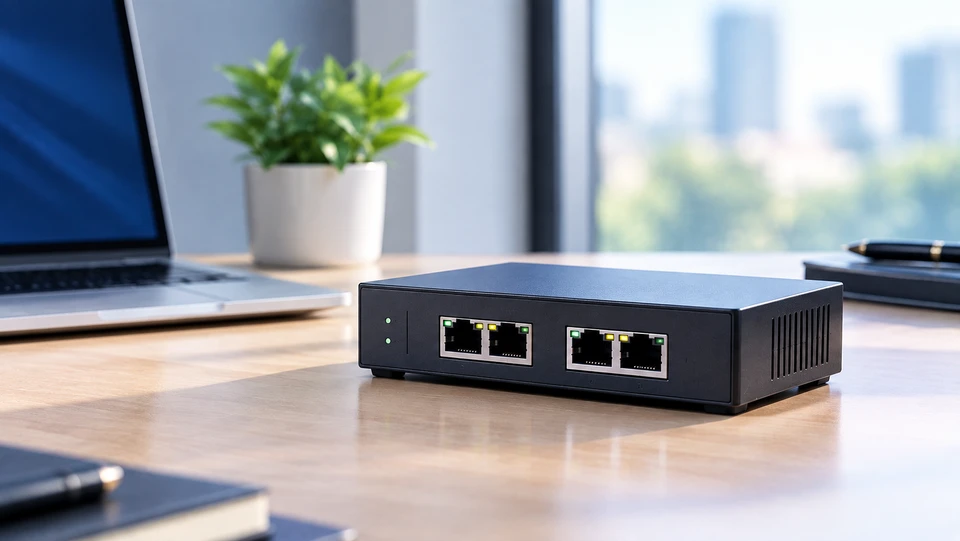
A bridge in a computer network sits between two sections of a network and decides which traffic actually deserves to cross over. Traffic that belongs on one side stays there. Only frames meant for the other side get passed along.
That one decision, repeated thousands of times a second, keeps a busy accounts department from slowing down the design team next door. Bridges have done this job since the 1980s, and the logic never aged.
What Is a Bridge in a Computer Network?
A bridge is a device that joins two or more network segments and forwards data between them using hardware addresses. It runs at Layer 2 of the OSI model, the data link layer, so it reads MAC addresses and pays no attention to IP addresses at all.
Every network card carries a 48-bit MAC address, written as six pairs of hex characters like 00:1B:44:11:3A: B7.
A bridge builds its whole worldview from those addresses. It connects segments so both sides can talk, and it separates them so pointless chatter never crosses.
The differences matter. A hub copies every signal to every port with no thought behind it, while a bridge thinks first and then forwards.
A router works one layer higher, moving packets between networks by IP address and blocking broadcasts.
A switch is a bridge with more ports and dedicated hardware doing the job, which is why engineers call a switch a multiport bridge.
The rules behind all of this live in IEEE 802.1Q-2022, the active standard for bridges and bridged networks. It absorbed the older 802.1D MAC bridge standard in its 2014 edition.
How Does a Network Bridge Work?
A bridge learns which devices sit on which side, then filters traffic based on what it learned. Nobody programs those addresses in. It picks them up by watching.
When a frame arrives, the bridges reads its source MAC address and records it against the port it came in on. That record goes into a MAC address table, also called a forwarding database.
Entries expire after 300 seconds of silence on most equipment, so a laptop that moves desks gets relearned instead of leaving stale data behind.
The bridge then reads the destination address and picks one of three actions:
- Forward. The destination sits on a different port, so the frame goes out that port only.
- Filter. The destination sits on the same port the frame arrived on, so both devices are already on one side. The bridge drops the frame and saves everyone the trouble.
- Flood. The destination is unknown, or the frame is a broadcast. Copies go out every port except the one it came from.
Bridges also recalculate the 4-byte frame check sequence before forwarding, so corrupted frames die there instead of wasting bandwidth on the far side.
Loops are the one real danger. Two bridges joining the same segments twice send broadcast traffic circling forever and flood the network in seconds.
Spanning Tree Protocol fixes that by electing a root bridge and blocking redundant paths until they're needed. Classic STP took 30 to 50 seconds to settle after a link change, and Rapid Spanning Tree, now part of 802.1Q, does it in a few seconds.
Importance of Bridges in Computer Networking
Bridges matter because they split a flat network into smaller, calmer pieces without cutting anyone off.
Picture one office floor with 200 devices on a single segment. Every printer announcement, file transfer, and backup job competes with everything else.
Put a bridge in the middle, and you get two segments of 100. Traffic inside each half stays there, and the wire on the other side is free for its own work.
It also makes the network easier to fix, because when something breaks, you know which side to look at.
Functions of Bridge in Computer Networks
The functions of a bridge in computer networks come down to four things it does constantly:
Learning
It maps MAC addresses to ports by reading source addresses on incoming frames.
Filtering
It drops frames whose sender and receiver share a segment. This is the function that cuts traffic, and it's the reason bridges exist.
Forwarding
It passes frames toward the correct segment using the table it built.
Loop prevention
It swaps spanning tree messages with other bridges so redundant links stay blocked.
Together, these shrink collision domains and speed up local traffic. One catch: a bridge does not block broadcasts. They cross every bridge port, which is a job for a router or a VLAN.
Types of Bridge in Computer Networking
Transparent Bridge
A transparent bridge works without any device on the network knowing it's there. Computers on both sides send frames exactly as they would on a single segment.
This is the type running in nearly every Ethernet network today. It configures itself through the learning process above and handles spanning tree alone. Every managed switch you buy is built on transparent bridging.
Source Routing Bridge
A source routing bridge leaves the path to the sending device instead of working it out itself. Before real data moves, the source releases explorer frames that cross the network and come back carrying the route they took.
The path then rides inside the frame in a Routing Information Field, listing the ring and bridge numbers to pass through. IBM built this for Token Ring under IEEE 802.5. You'll rarely meet one live now, though it still turns up in exams and old industrial sites.
Translational Bridge
A translational bridge connects networks that speak different data link protocols, rewriting frames so both sides understand each other. The classic pairing was Ethernet on one side and Token Ring or FDDI on the other.
The work is fiddly. Headers get rebuilt, frame sizes have to match, and MAC address bit ordering has to be flipped because Ethernet and Token Ring write addresses in opposite order. A modern example sits in your ceiling: an access point translating between wired Ethernet and 802.11 frames.
Wireless Bridge
A wireless bridge links two wired networks over radio instead of cable. Put one unit in a warehouse 300 metres away, point the other back at the office, and both buildings share one network with no trench and no fibre.
A WiFi network bridge is also what your routers offers in bridge mode, letting a wired-only device reach the network through the air.
A KVM bridge network does the same trick in software: a bridge such as br0 on the host lets virtual machines pull addresses from the real LAN DHCP server rather than hide behind the default NAT network on 192.168.122.0/24.
Wireless bridges want clear line of sight. Trees, walls, and weather all cost you throughput.
Uses of Bridges in Computer Networking
Bridges show up wherever segments need joining without a full router in between.
Offices link floors or departments, so teams share resources while daily traffic stays local. Campuses and warehouses use wireless bridges for outbuildings that cabling can't serve cheaply.
Data centres and home labs use software bridges to put virtual machines straight onto the physical network.
They also help networks grow in order. A bridged segment pushes past the 100 metre copper limit and adds users in blocks instead of crowding one segment.
Future of Network Bridge Technology
Bridging keeps getting quietly better rather than being replaced.
Wireless shows this best. IEEE 802.11be, sold as Wi-Fi 7, was published on 22 July 2025 after Wi-Fi Alliance certification opened in January 2024, bringing 320 MHz channels and 6 GHz spectrum to links that once fought interference.
Wi-Fi 8, or 802.11bn, finished draft 1.0 in July 2025 and is due in 2028, with reliability as its headline goal, which counts for more on a bridge link than raw speed.
Wired bridging is moving too. Time-Sensitive Networking amendments inside 802.1Q give bridges scheduled, predictable delivery for sensors and machinery, and VLAN-aware bridging in Linux lets one host serve several isolated networks at once.
Bridges answer one half of the question, and routers answer the other, which is why most networks run both. For the fuller picture of how Layer 2 forwarding and Layer 3 routing split the work, read our Guide to Understanding Bridges and Routers in Computer Networking.
Conclusion
A bridge is a small idea with a long life. Read the address, learn the port, forward what needs forwarding, drop the rest.
Get the MAC address table and the forward, filter, and flood decision straight, and you understand switches, access points, and half the traffic problems you'll ever troubleshoot.
Frequently Asked Questions
A: A bridge is a Layer 2 device that connects two or more network segments and forwards traffic between them using MAC addresses. It learns which addresses sit on which port, then passes along only the frames that need to cross.
A: A bridge reads the source MAC address of every incoming frame and records the port it arrived on. It then checks the destination address and either forwards the frame out the right port, drops it if the destination sits on the same segment, or floods it everywhere when the address is unknown.
A: A wireless bridge connects two networks over radio instead of cable. It links separate buildings, reaches outbuildings where trenching costs too much, and puts wired-only devices on the network through a router in bridge mode.
A: Network segmentation means splitting one large network into smaller sections so traffic stays contained. Bridges support it by filtering frames at the boundary, so a conversation between two devices on one side never eats bandwidth on the other.
A: Bridges don't stop broadcast traffic, so every segment behind them shares one broadcast domain. They also have limited MAC table capacity, add a small delay while checking frames, can't route between IP networks, and need Spanning Tree Protocol to survive redundant links.
A: It creates a radio link between two access points, each wired to its own segment, so devices on both sides behave as if they share one network. Range and speed depend on line of sight, antenna quality, and the frequency band.


