



Product Description
Lite-On Zeta LMH-256V2M 256GB mSATA SSD
Check what your machine actually takes before ordering. mSATA looks similar to a Mini PCIe slot and uses the same physical connector, but the two are not interchangeable. A Mini PCIe slot will not run this drive. It is also not M.2, which replaced mSATA from around 2014 onward.
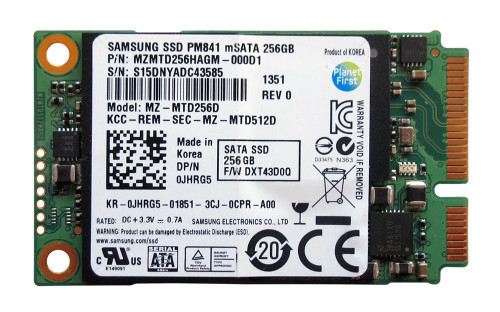
Dell shipped this exact drive under its own part numbers, 35DNT and 2HNG6 among them, in Latitude E-series laptops. If a service manual quotes one of those, this is the same hardware.
Storage and Performance
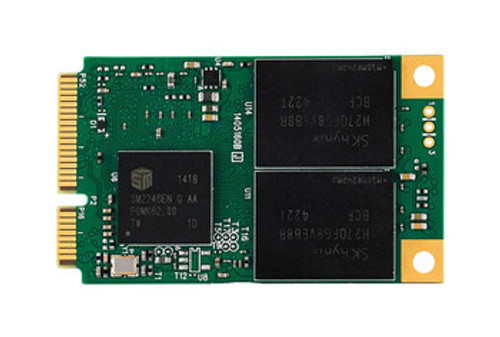
256GB on SATA 6Gb/s in the standard JEDEC MO-300 mSATA format, 50.8 by 29.85 by 3.7mm, around 9 grams. The Zeta series uses SK hynix 16nm MLC flash with a Silicon Motion controller and an LPDDR3 cache sized to match the drive.
Published speed figures vary between suppliers, with sequential reads quoted anywhere from 459 to 520MB/s and writes from 281 to 440MB/s. Ask the seller which figures apply to the stock they hold. MLC flash, two bits per cell, wears better than the TLC in modern budget drives.
Suitable Applications
Replacing a failed mSATA drive in a laptop or compact system that shipped with one. That is the main job. Also thin clients, industrial PCs and embedded systems built around mSATA, where the slot type dictates the part rather than the other way round.
Compatibility and Deployment
Confirm the slot is mSATA and that your BIOS will boot from it. Some machines of this era have an mSATA slot intended only for cache acceleration, not as a boot device.
A variant exists with a 41 suffix, LMH-256V2M-41, which some listings identify as a self-encrypting drive. If encryption matters, check which version you are being sent.
Reviving a Laptop That Only Takes mSATA
When a machine has no 2.5-inch bay and no M.2 slot, mSATA is the only option on the table. Finding a current drive in that format is the hard part, not the speed.